How to Subscribe in Badger Maps
So you've decided to become a Badger Maps Customer? We appreciate you! There are a couple ways of subscribing. Read below to find out how.
- During free trial through the "Buy Now" link in the Web App
- During free trial through the "Settings" menu in the Web App
- After free trial has expired
During free trial through the "Buy Now" link in the Web App
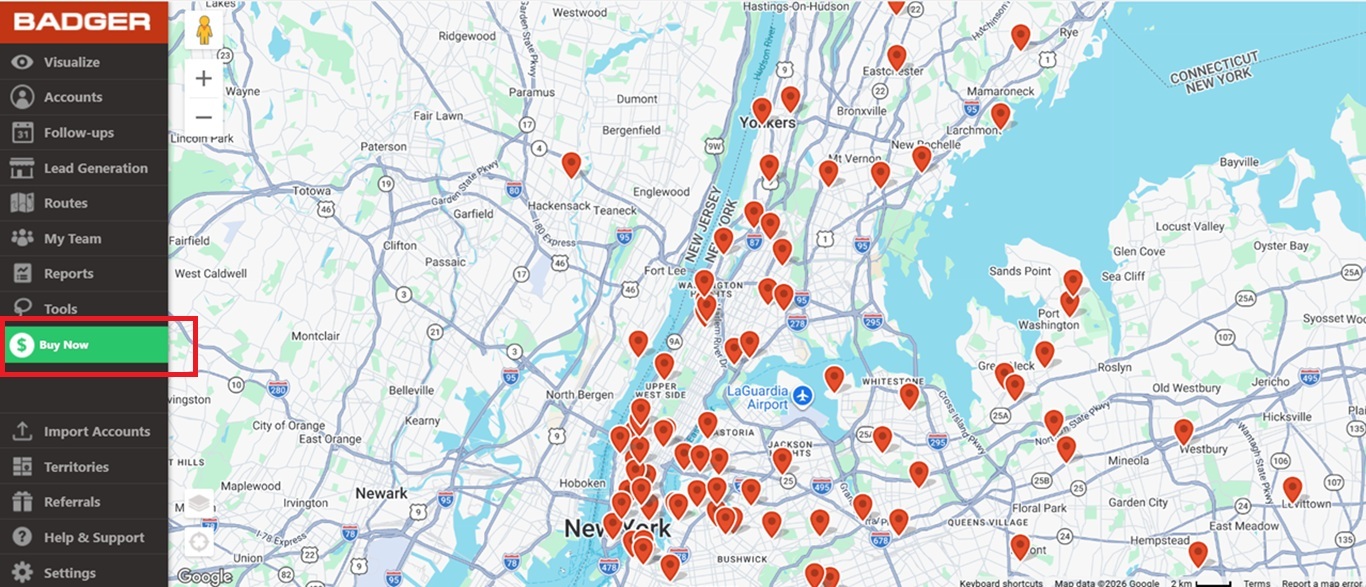
1. Click the Buy Now button.
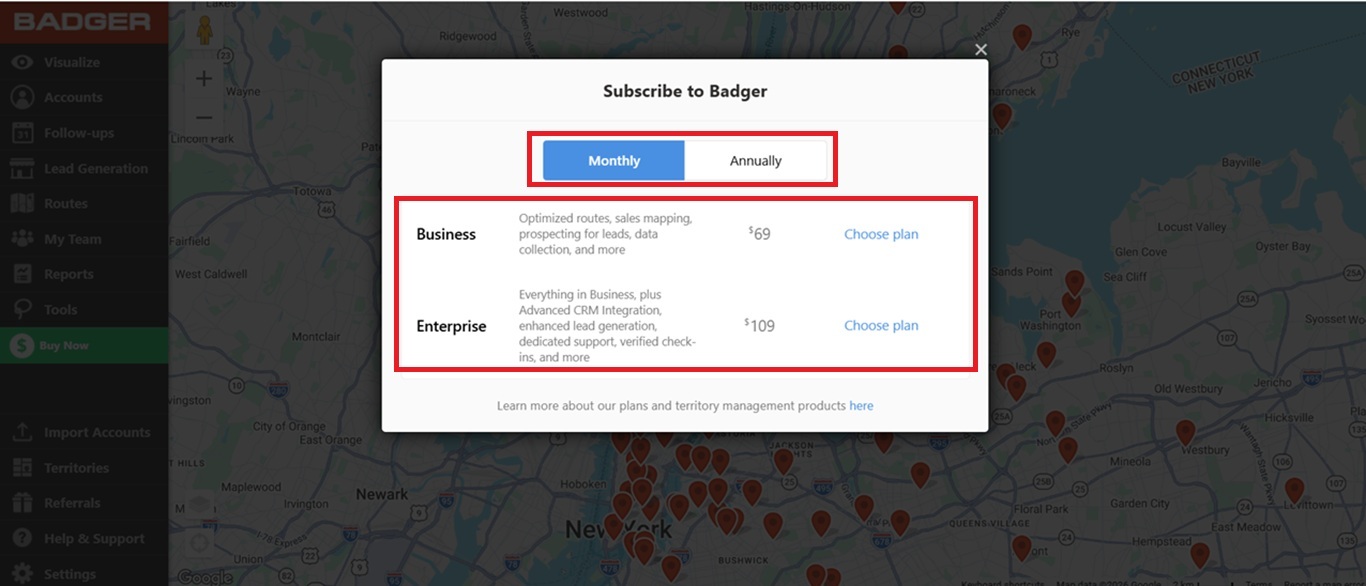
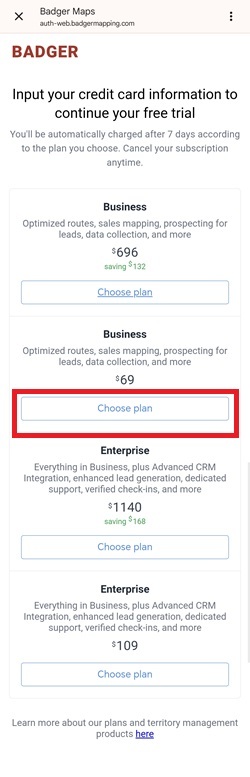
2. Then select the billing method (Monthly or Annually), choose your desired subscription plan, and click Choose plan.
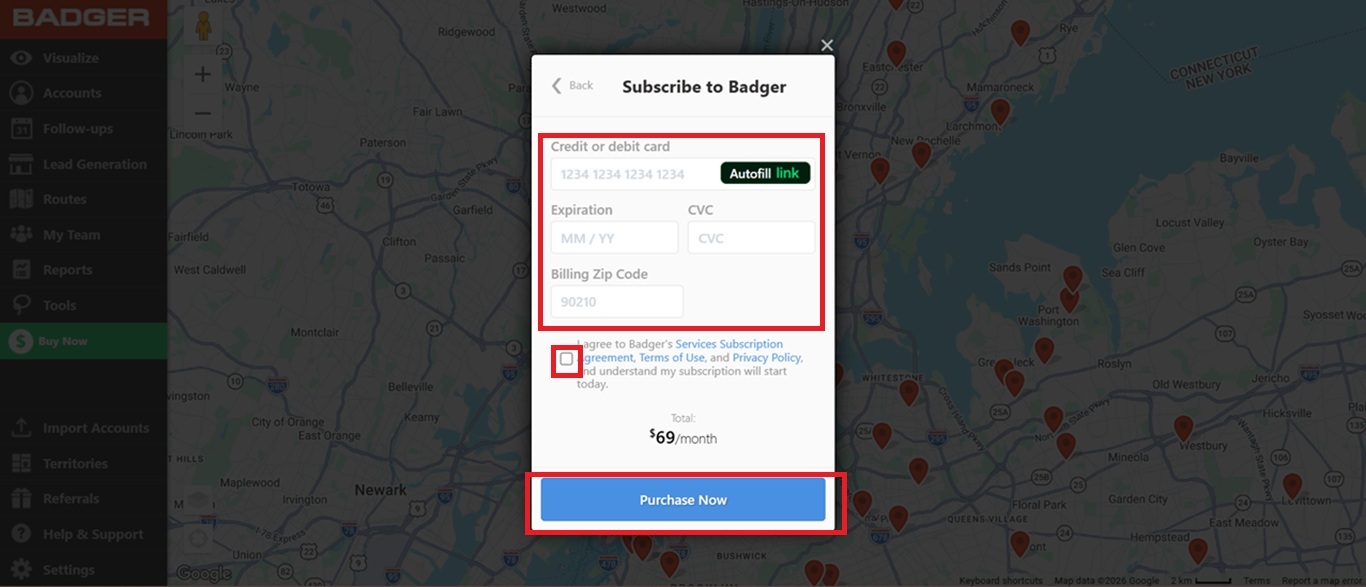
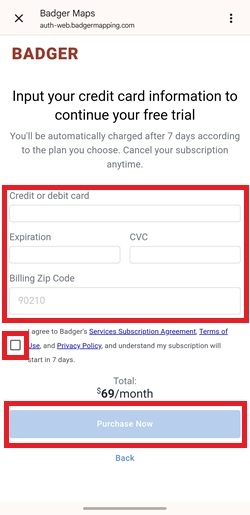
3. Fill out the needed info, put a check mark on the Subscription Services Agreement box, click Purchase Now, and you should be all set.
During free trial through the "Settings" menu in the Web App
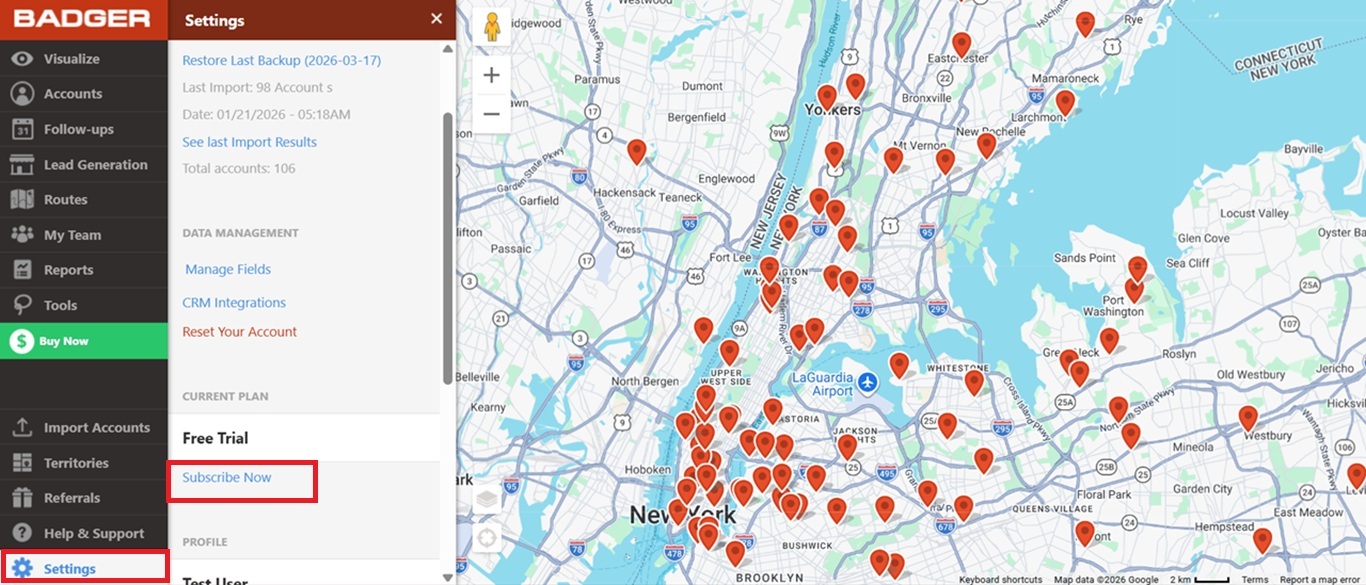
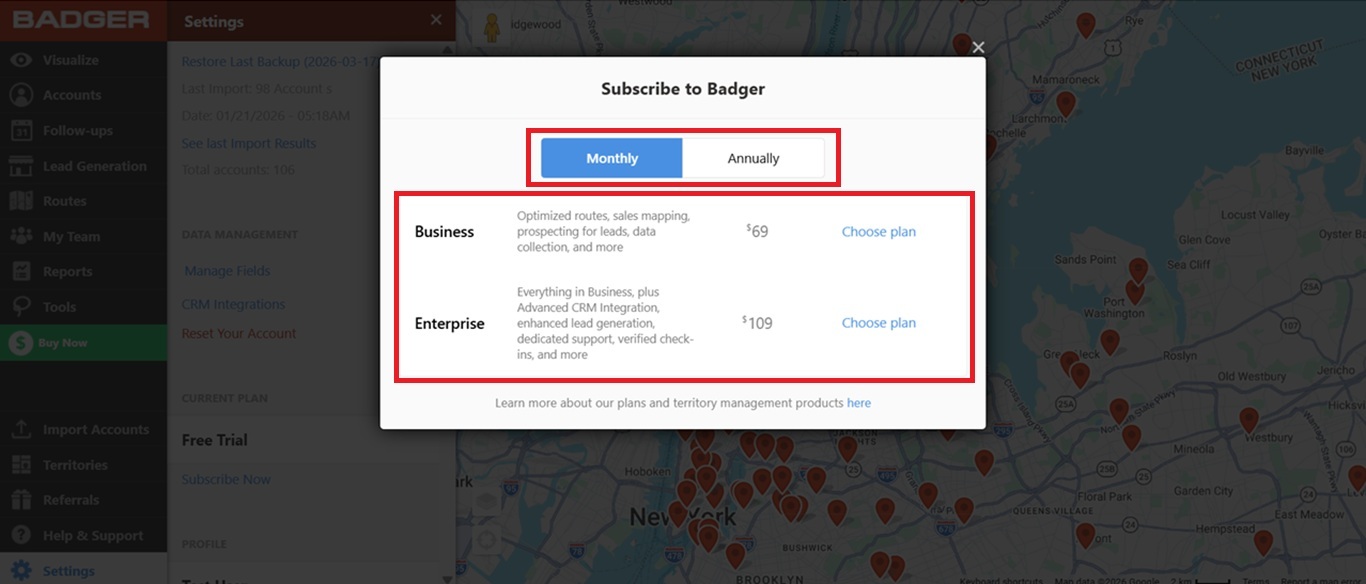
1. Go to Settings, then click on Subscribe Now.
2. Then choose a billing method (Monthly or Annually), select a subscription plan, and click Choose plan once you’ve decided what plan to subscribe to.
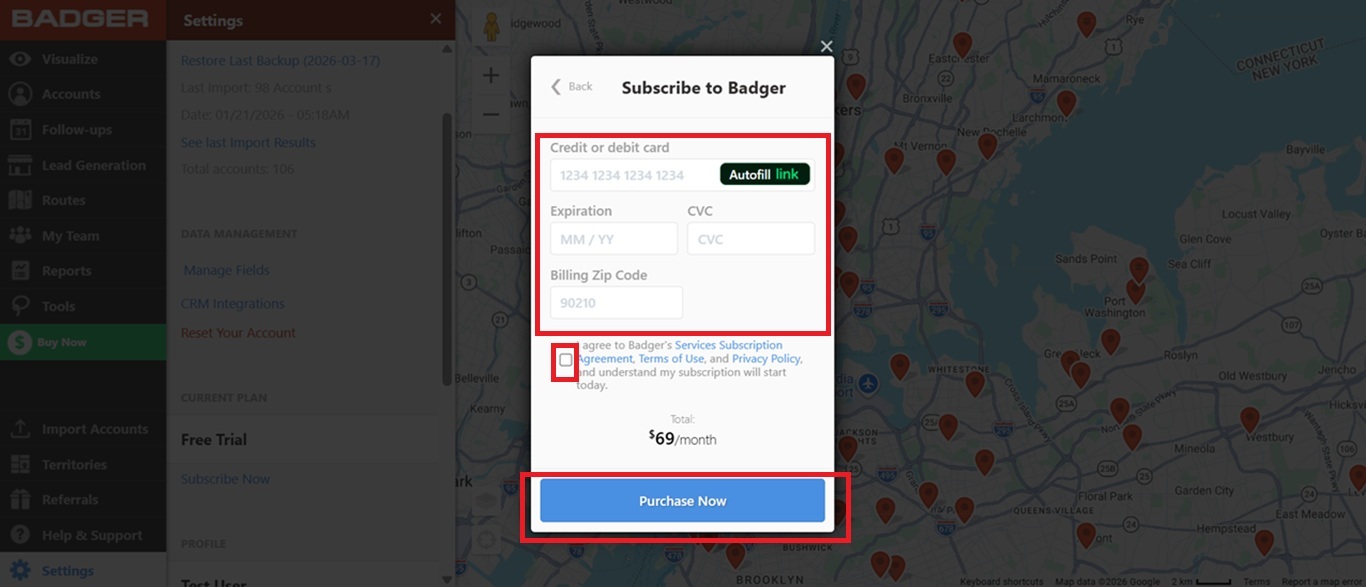
3. Enter your credit card details, tick on the Subscription Services Agreement box to put a check mark, and click the Purchase Now button to place your subscription.
After free trial has expired
Web
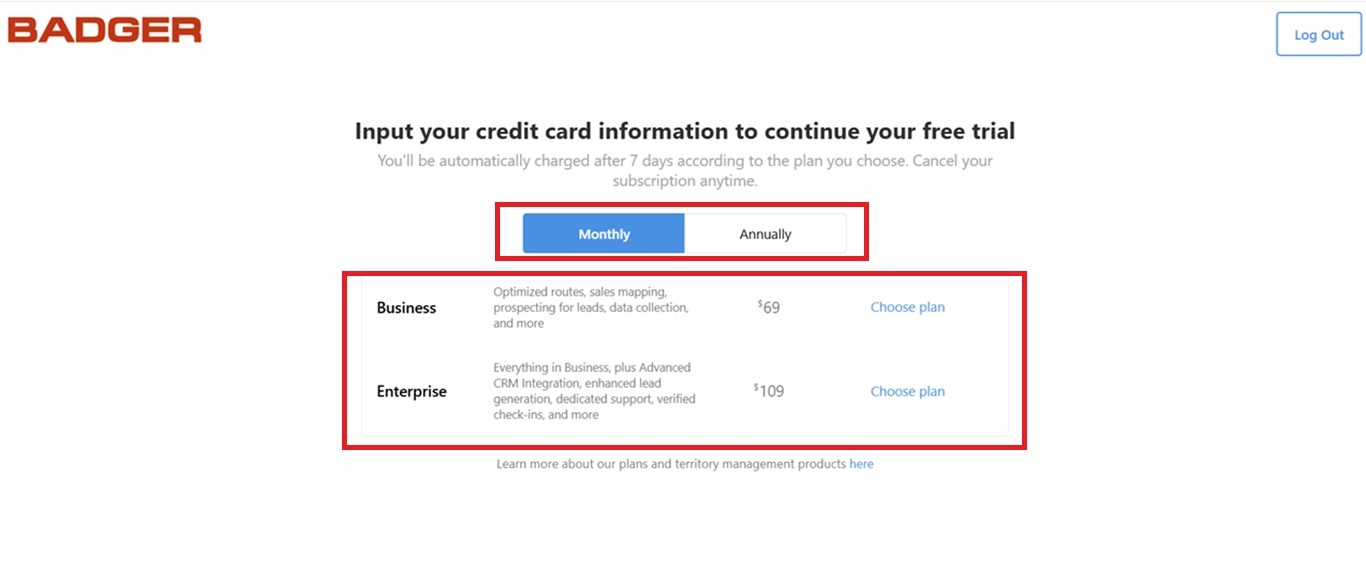
1. If your free trial has expired, and you decided to subscribe, you just have to log in to the Badger Maps web app (https://sidekick.badgermapping.com/).
2. Once you’re in, you’ll be taken to the subscription page and asked to choose the billing method (Monthly or Annually) and the subscription plan. Click Choose plan once you’ve selected your desired plan.
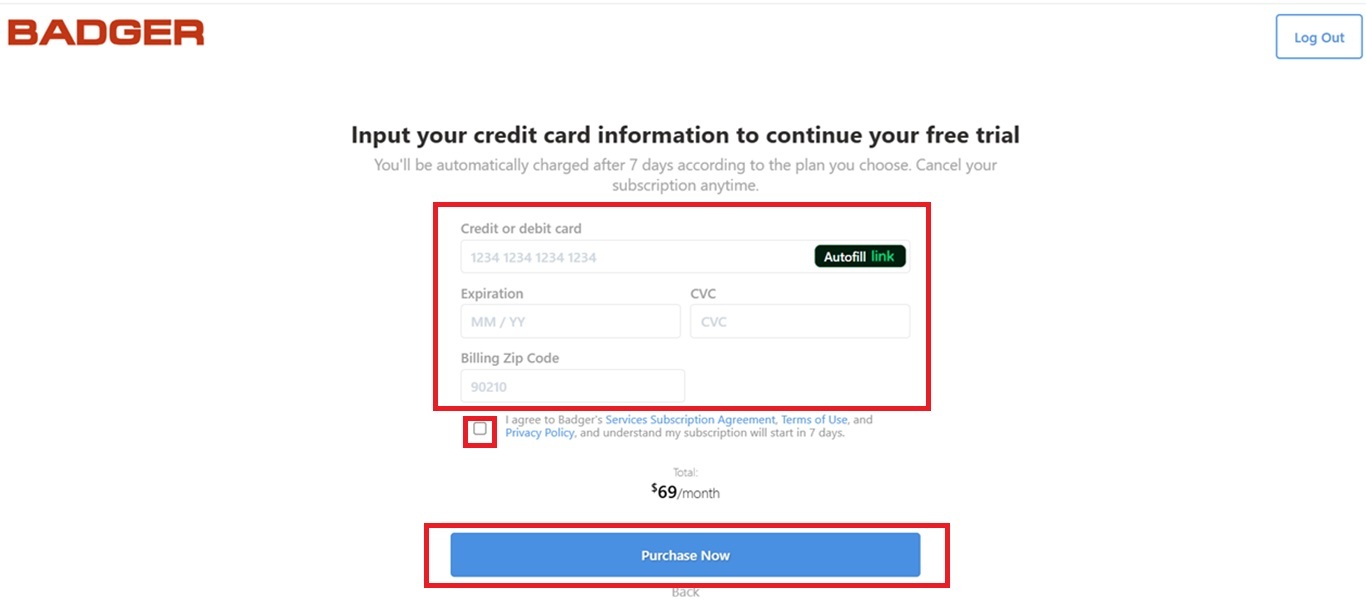
3. Enter your card details, put a check mark on the Subscription Services Agreement box, and click Purchase Now.
iOS
1. If you're using an iPhone, you'll be redirected to the login page once your 7-day trial expires. Simply sign in again with your login credentials to continue.
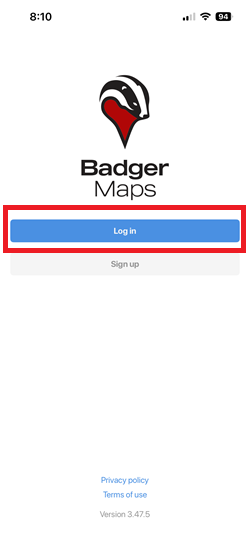
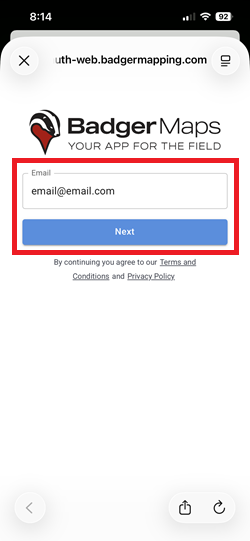
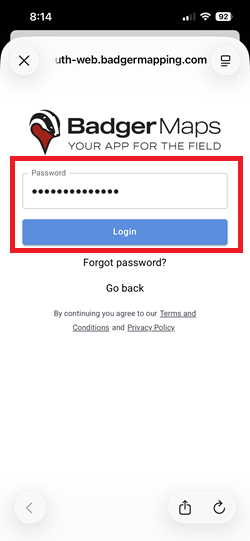
2. After that, you'll be taken to the subscription page. Simply click Choose plan on the subscription you'd like to sign up for.
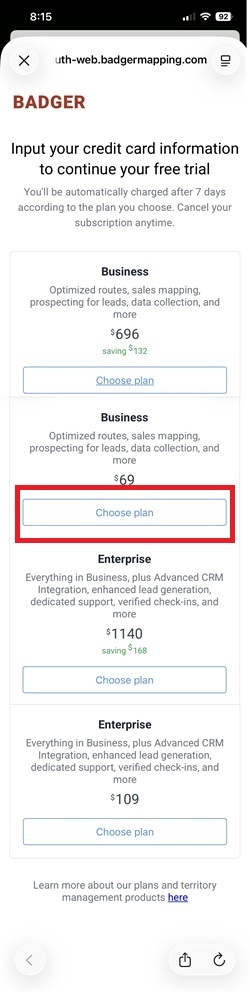
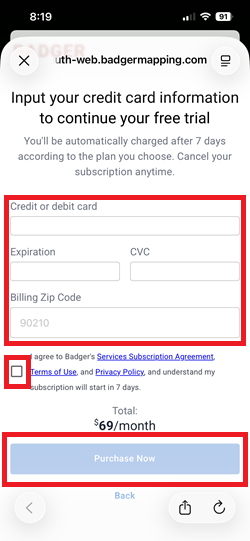
3. Enter your card details, check the Subscription Services Agreement box, and tap Purchase Now.
Android
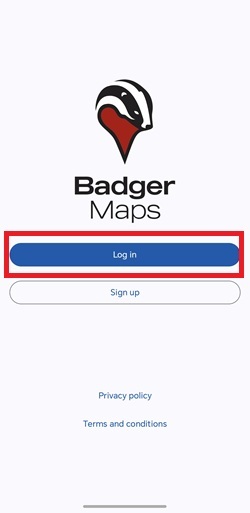
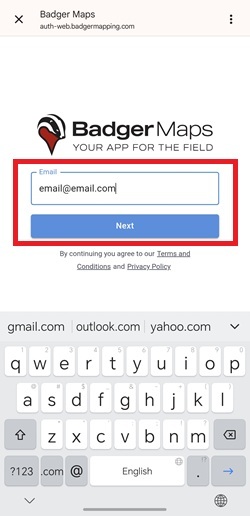
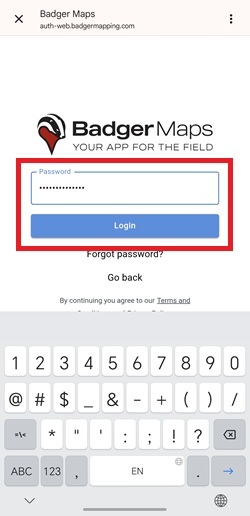
1. If you’re an Android user, you’ll be redirected to the log in page once your 7-day has expired. Simply reenter your log in credentials to get started.
2. After that, you’ll be taken to the subscription page. Just choose the plan that you want to subscribe to by clicking the Choose plan button.
3. Enter your card details, put a check mark on the Subscription Services Agreement box, and tap Purchase Now.
Feel free to click here for more info about our subscription plans.


