Connect Badger Maps to every tool your team uses
With Zapier, you can link Badger Maps to thousands of apps without any code or manual work. Build automated workflows that keep your field team moving and your data in sync, across every tool in your stack.
New to Zapier?
Zapier is an automation platform that connects your apps without any code. You set a trigger. Something happens in one app, and an action follows automatically in another. Set it up once, and it runs on its own, every time.

Step 1: Trigger
Step 2: Action
What outside sales teams automate most
Connect Badger to the tools your team already uses and let the busywork run in the background.
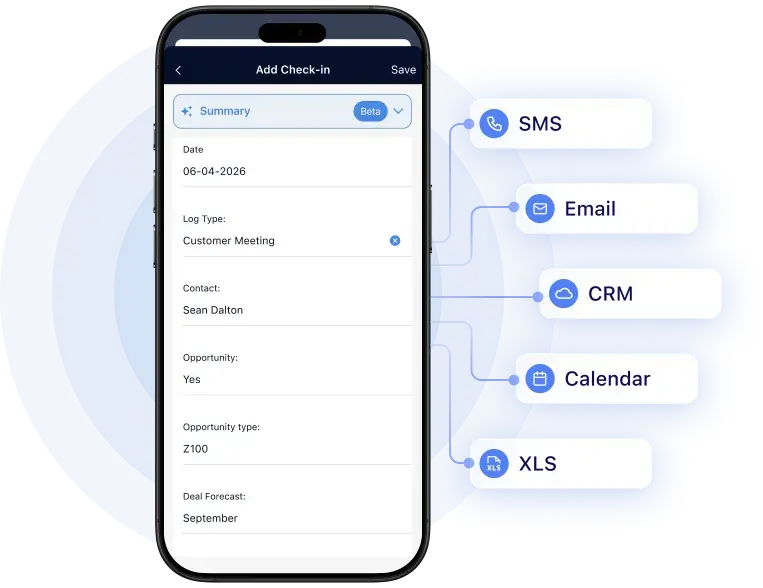
Connect Badger to the tools you use every day
Zapier connects Badger Maps to thousands of apps with no code or engineering resources required.

Gmail

Slack

Calendly

ZoomInfo

Trello

Mailchimp

Airtable
Connect your CRM for one-off automations
For teams that need a lightweight connection between Badger and their CRM and don't need it to handle high volumes or complex data, Zapier gets the job done without technical resources.
- Create a Badger account when a new contact or company is added in your CRM
- Update a Badger account when a CRM record changes
- Log a Badger check-in as an activity or note in your CRM
- Create a CRM contact when a new account is added in Badger
- Airtable
- Freshworks
- Quickbase
- Agile CRM
- ClickUp
- Nutshell
- Salpo
- Virtuous
- Vtiger
- Business Next
- FirmaO
- NetHunt CRM
- Skrumpt
- Smartouch Nexgen
- Tribus
- Capsule
- TargetCRM
- Shopify
- WooCommerce
- Web CRM
- Revamp CRM
- Zendesk
- ActiveCampaign
- Adobe Commerce
- Teamwork CRM
- OnePageCRM
- Rolldog
- Wealthbox
- WalcuCRM
- SuperOffice
- Streak
- Pega
- Redtail
- Close
- HoneyBook
- Keap (formerly Infusionsoft)
- Less Annoying CRM
- Bitrix24
- Salesflare
- Salesmate
- Nimble
- Folk
- EngageBay
- Teamleader
Not listed? Any app on Zapier works the same way.
Get up and running in minutes
No developers or lengthy setup. Connecting Badger Maps to your other tools via Zapier takes just a few minutes.
Enable your API key
Contact Badger support to enable your API key and unlock your Zapier connection.
Connect on Zapier
Go to Zapier and connect your Badger Maps account using your API key.
Choose a trigger
Pick what starts your Zap: a check-in, account update, or new account in Badger.
Set your action
Choose what happens next in any of the 7,000+ apps available on Zapier.
Connect Badger Maps to your whole stack today
Start automating your field sales workflows with Zapier.