How to Connect Badger Maps Version 2 with Claude
Connecting Badger Maps with Claude is quick and easy. Once connected, you can use Claude to create routes, send emails to multiple prospects at once, and do much more. Keep reading to learn how to set it up.
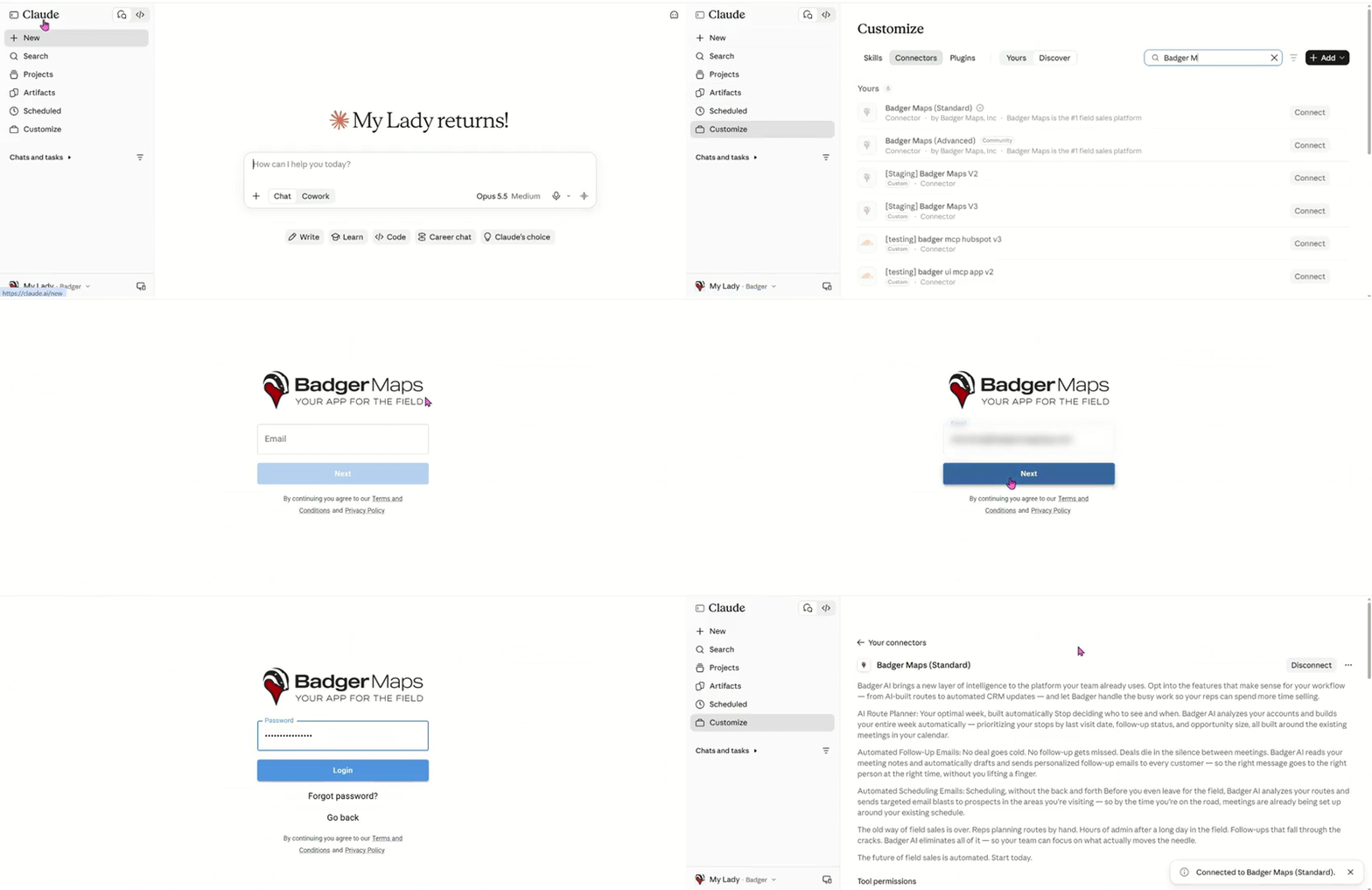
1. Log in to Claude, then click the Customize button.
2. Click Connectors, type Badger Maps in the Search field, select Badger Maps (Standard), and click Connect.
3. After that, you’ll be taken to Badger’s login page. Login with your registered email and password.
4. A Connected to Badger Maps (Standard) message will appear in the lower-right corner of your screen once the connection is successfully established.
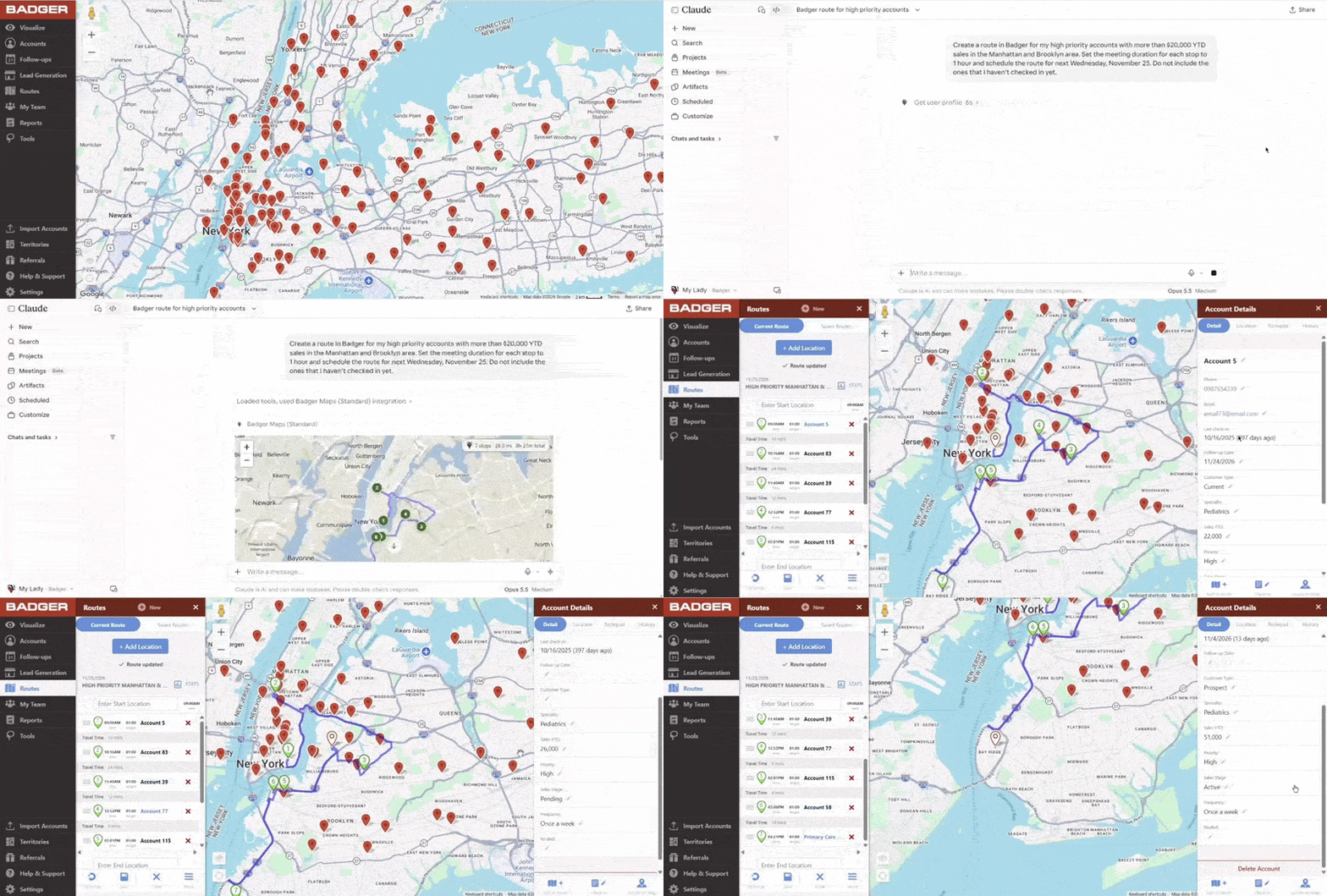
You're now ready to start a new chat with Claude! Here's an example of a prompt you can try:
Sample Prompt: Create a route in Badger for my high priority accounts with more than $20,000 YTD sales in the Manhattan and Brooklyn area. Set the meeting duration for each stop to 1 hour and schedule the route for next Wednesday, November 25. Do not include the ones that I haven't checked in yet.