The Best Geopointe Alternatives in 2026
Which Field Sales Tool Is Right For You?
Geopointe has real value for office-based Salesforce users doing geospatial analysis. But if you've run into a mobile experience that doesn't hold up in the field, performance issues when working with large datasets, or contract practices that left a bad taste - you're not alone. And if you're a field sales rep who was put on Geopointe by your ops team and found it wasn't built for the way you work, that's an equally valid reason to look elsewhere.
The right alternative depends on what you actually need - and whether you're staying in the Salesforce ecosystem or ready to move beyond it. This guide maps out four distinct options based on your specific situation.
The Best Geopointe Alternatives for Field Sales and Geospatial Teams in 2026
What to Look for in a Sales Mapping Tool
Before switching, it helps to be clear on what drove you to look for alternatives - because the answer shapes everything about which tool is right.
Mobile-first reliability: if your reps use the tool in the field on a phone, mobile performance is non-negotiable. Geopointe was built for desk-based analysts - the mobile experience reflects that. The right field sales alternative should be purpose-built for the phone, not adapted from a desktop platform.
Time to value: Geopointe requires Salesforce admin configuration and a learning curve before teams can use it productively. The best alternatives get reps or analysts productive quickly (ideally with a free trial and money-back guarantee).
CRM independence: Geopointe only works inside Salesforce. If you're evaluating alternatives because you're questioning the Salesforce ecosystem itself, a CRM-agnostic tool gives you significantly more flexibility going forward.
Territory management: whether you need field-level territory optimization or enterprise-grade geographic modeling, make sure the alternative actually covers the depth your team needs - not just the surface-level feature name.
Lead generation: for field sales reps, the ability to find new prospects while already in an area is a meaningful productivity multiplier. Most desktop-first platforms don't have this.
Contract transparency: Before committing to any alternative, understand the renewal terms, cancellation process, and what flexibility looks like if your needs change.
1. Badger Maps - Best for Field Sales Reps Who Need a Mobile-First Alternative
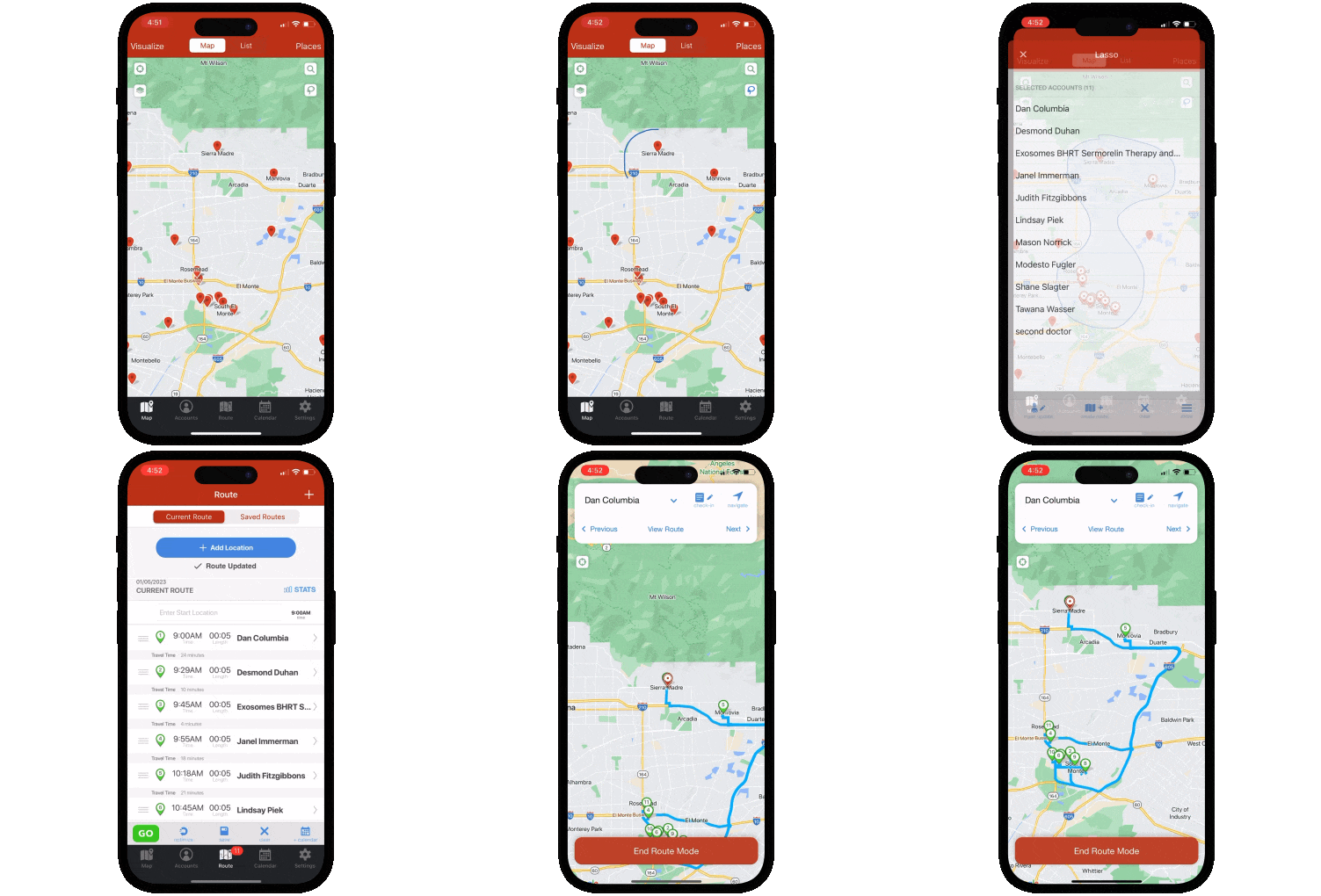
If you're a field sales rep or manager who was put on Geopointe and found it wasn't built for the way you work - in the car, between appointments, on your phone - Badger Maps is the purpose-built upgrade. Founded in 2012, Badger Maps was designed from the ground up for field rep productivity: route optimization, CRM integration, in-field lead generation, and territory management in a single mobile platform (that scores 4.5 on the App Store).
Where Geopointe is built for the analyst at a desk inside Salesforce, Badger Maps is built for the rep in the car - and the difference shows in every part of the product. It also works with whatever CRM your team uses, not just Salesforce. If your organization ever moves off Salesforce, Badger moves with you.
What it does well:
- Scores 4.5 on the App Store and 4.0 on Google Play - purpose-built for field use, not adapted from desktop
- Optimizes multi-stop routes automatically with live traffic, saving reps an average of 20% of drive time
- Native two-way, real-time integration with Salesforce, HubSpot, Microsoft Dynamics, Zoho, Netsuite, Pipedrive, and more - on all plans
- Discovers new leads via the Lead Generation feature while reps are already in the area - no separate prospecting tool needed
- Dedicated territory planning with Badger Align and geospatial analytics with Badger Insights
- Mileage tracking, voice notes, pre-visit AI briefings, and automated CRM sync included across plans
- Support by phone, chat, and email - no auto-renewal traps, no fine print
Who it's best for: B2B outside sales reps and field sales managers who need a mobile-first field productivity platform - CRM-agnostic, proven at enterprise scale, available today with a free trial.
Pricing: Starts at $58/user/month for business plans and $95/user/month for enterprise plans. 14-day free trial - no credit card required. 90-day money-back guarantee.
| Features At-a-Glance | Badger Maps |
|---|---|
| Built for field sales reps | ✓ Yes |
| Mobile: Apple / Google | ✓ 4.5 / 4.0 |
| Works without Salesforce license | ✓ Yes |
| Route optimization (with live traffic) | ✓ Full |
| Lead generation | ✓ Full |
| Mileage tracking | ✓ Full |
| Phone, chat & email support | ✓ Full |
| Free trial & 90-day money-back guarantee | ✓ Yes |
2. Salesforce Maps
If you're staying in the Salesforce ecosystem and your primary frustration with Geopointe was that it's a third-party AppExchange product - with a third-party vendor's contract practices and roadmap uncertainty - Salesforce Maps is the first-party alternative. It's Salesforce's own geo-intelligence product, built natively into the platform with Salesforce's own support, roadmap, and security infrastructure behind it.
The redirect logic is straightforward: if you love Salesforce, want to stay in Salesforce, and want your mapping solution built and maintained by Salesforce itself rather than a third-party vendor, Salesforce Maps is the natural lateral move from Geopointe.
What it does well: Native Salesforce architecture with no data sync issues, enterprise-grade territory design capabilities in Maps Advanced, and the stability of a first-party Salesforce product rather than an AppExchange dependency.
Where it falls short: Salesforce Maps starts at $75/user/month on top of your existing Salesforce license - comparable to Geopointe's pricing. The standalone mobile app was retired in August 2026 and migrated to an embedded experience within the Salesforce app. Setup still requires Salesforce admin expertise, and there's no free trial. We've written a full comparison of Salesforce Maps against Badger Maps - read it here if you want the complete picture before deciding.
Who it's best for: Enterprise organizations that are fully committed to Salesforce, have admin resources available, and want geo-intelligence maintained by Salesforce itself rather than a third-party vendor.
Pricing: $75/user/month (Maps) or $150/user/month (Maps Advanced), billed annually, on top of existing Salesforce licensing. No free trial.
3. Maptitude
If what you valued most about Geopointe was the depth of geographic analysis - territory modeling, demographic overlays, coverage gap analysis - but you're ready to move beyond the Salesforce ecosystem entirely, Maptitude by Caliper Corporation is the professional-grade desktop alternative.
Maptitude is a full-featured GIS and business mapping platform used by sales operations teams, business intelligence analysts, and market researchers who need to work with complex geographic datasets and model sophisticated territory structures - without any CRM dependency. It includes an extensive built-in library of geographic and demographic data that Geopointe requires you to bring from Salesforce.
What it does well: Geographic analysis depth that rivals enterprise GIS platforms - demographic data, drive-time analysis, market penetration modeling, territory balancing across multiple variables, and professional-grade map production for presentations and reports. No Salesforce license required, no AppExchange dependency, no contract trap risk.
Where it falls short: Maptitude is a desktop GIS application - no mobile field experience, no CRM sync, no check-in capability, and no route optimization for field reps. It requires meaningful training to use effectively. If field rep productivity is the goal, this isn't the right tool.
Who it's best for: Sales operations, business intelligence, and market analysis teams who need enterprise-grade geographic analytics from a desktop environment - and want to cut the Salesforce dependency entirely.
Pricing: Starts at $695/user/year. Free trial available.
4. Map Plotter
If you're staying in Salesforce, your needs are relatively straightforward - basic data visualization, radius search, simple route optimization - and you've decided that paying $75+/user/month for Geopointe or Salesforce Maps is more than your use case warrants, Map Plotter by Extentia is a free AppExchange alternative worth knowing about.
Map Plotter is a free Salesforce AppExchange app that visualizes your Salesforce data on a map - color-coded pins, cluster views, radius search, drawing tools for area selection, basic route optimization, and geocoded data reports. It's built by Extentia, a legitimate Salesforce consulting partner founded in 1998 with over a decade of AppExchange experience and a 4.44 rating across 143 reviews.
What it does well: For basic Salesforce data visualization and lightweight mapping needs, Map Plotter delivers genuine value at zero cost. If your team primarily needs to see where customers are located, filter by geography, and build basic routes - and doesn't need enterprise territory design or field rep productivity features - Map Plotter covers those fundamentals without a licensing fee.
Where it falls short: You get what you pay for. Map Plotter is a basic visualization tool - it is not a field sales platform, not a territory intelligence product, and not a replacement for what Geopointe was doing at enterprise scale. Route optimization is limited, there's no mobile-first field experience, no CRM auto-sync, no check-in capability, and no lead generation. Extentia is primarily a consulting firm rather than a dedicated product company, which means long-term investment may be less predictable than a dedicated software vendor. For teams with serious geospatial analysis needs or active field sales reps, this is a stepping stone at best.
Who it's best for: Small Salesforce teams with basic mapping and visualization needs who want to explore geographic data.
Pricing: Free BUT needs a credit card on file. Map Plotter uses Google Maps APIs internally, and Google provides a monthly free credit that covers most small to mid-sized teams comfortably. If your Salesforce volume is large enough to exceed that credit, charges apply.
THE BEST APP FOR FIELD SALES PEOPLE
Learn how you can maximize your sales routes & sell more
How to Choose the Right Geopointe Alternative
The right tool depends on what specifically drove you to look for alternatives - and what your team actually does.
If you're a field sales rep or manager who was put on Geopointe and found it didn't work in the field, Badger Maps is purpose-built for your use case - mobile-first, CRM-agnostic, proven at enterprise scale, and available today with a free trial and a 90-day money-back guarantee.
If you're staying in Salesforce and want a first-party solution with Salesforce's own roadmap behind it rather than a third-party vendor's contract practices, Salesforce Maps is the native lateral move - just go in with clear eyes about the mobile migration and total cost.
If you're leaving Salesforce and want to retain enterprise-grade geographic analytics without any CRM dependency, Maptitude is the professional-grade desktop alternative that doesn't require any vendor ecosystem.
If you're staying in Salesforce but your needs are basic enough that $75+/user/month is hard to justify, Map Plotter is a free AppExchange option that covers the fundamentals - with the understanding that you're getting exactly what you pay for.
Switching from Geopointe to Badger Maps Is Simpler Than You'd Expect
If Badger Maps is on your shortlist, here's what the transition actually looks like:
- Free trial: no credit card required, connect your CRM and build your first route on day one
- Data import: upload your existing account list via spreadsheet or sync directly from your CRM
- Onboarding support: Badger's customer success team helps new teams get productive quickly, and is reachable by phone when you need them
- No long-term commitment: month-to-month plans available so you can validate before committing
- 90-day money-back guarantee: if Badger isn't delivering results within 90 days, you get your money back.
Teams are fully operational within a day or two of signing up.
The Bottom Line
Geopointe is a capable platform for office-based Salesforce users doing geospatial analysis - but it was never primarily built for field sales reps, and its mobile experience, performance issues at scale, and contract practices have pushed real teams to look for alternatives.
The right next step depends on your situation. For field sales reps who need a mobile-first tool that works reliably in the field, Badger Maps is the purpose-built upgrade. For Salesforce-committed orgs that want a first-party native solution, Salesforce Maps is the logical lateral move. For teams leaving Salesforce who need serious geographic analytics, Maptitude delivers enterprise-grade GIS without any CRM dependency. And for Salesforce teams with basic visualization needs and budget constraints, Map Plotter is a free starting point - just understand what you're getting.
Ready to see if Badger Maps is the right fit? Try it free - no credit card required, no auto-renewal surprises.

“CRM usage increased more than 50% once our sales team adopted Badger”
Ken Buck
Regional Sales Manager, Danaher
What's the main difference between Geopointe and Badger Maps?
Geopointe was built for office-based Salesforce users doing geospatial analysis — territory design, marketing coverage modeling, and business intelligence mapping inside Salesforce. Badger Maps was built for field sales reps — route optimization, mobile check-ins, in-field lead generation, and CRM sync that works reliably from a phone between appointments. Both have expanded toward each other's space, but focus builds strength. For field sales use cases, Badger Maps is the purpose-built choice.
Do I need Salesforce to use Badger Maps?
No - Badger Maps works independently of Salesforce and integrates natively with whichever CRM your team uses. If you're currently on Salesforce, Badger connects with two-way, real-time sync. If you move to a different CRM, Badger moves with you. Unlike Geopointe, your field sales workflow isn't locked to the Salesforce ecosystem.
Does Badger Maps integrate with Salesforce?
Yes, perfectly. Badger Maps integrates natively with Salesforce with two-way, real-time sync on all plans. It also integrates natively with HubSpot, Microsoft Dynamics, Zoho, Netsuite, Pipedrive, and others - no additional license required.
What does Badger Maps cost compared to Geopointe?
Geopointe starts at $75/user/month on top of your existing Salesforce license, with additional tiers required to unlock full analytics capabilities. Badger Maps starts at $58/user/month for business plans and $95/user/month for enterprise plans — with route optimization, CRM integration, lead generation, territory management, and mileage tracking included across plans. A 14-day free trial and 90-day money-back guarantee are included.
Can I try Badger Maps before committing?
Yes - Badger Maps offers a 14-day free trial with no credit card required. You can connect your CRM, import your accounts, and run optimized routes before making any purchasing decision. A 90-day money-back guarantee is also available after purchase — no auto-renewal traps, no fine print.
The names and logos for Badger Maps are trademarks of Badger Maps, Inc. All other trademarks, brand names, or product names belong to their respective holders. The purpose of this comparison is to provide customers with truthful information about competitors with no affiliation or partnership in place. This comparison is based on information gathered from the company's website and other 3rd party websites on the date written, and thus changes may have occurred.


