How to Export Your Route into a PDF File
Exporting your route into a PDF file is pretty quick and simple. Here’s how it’s done:
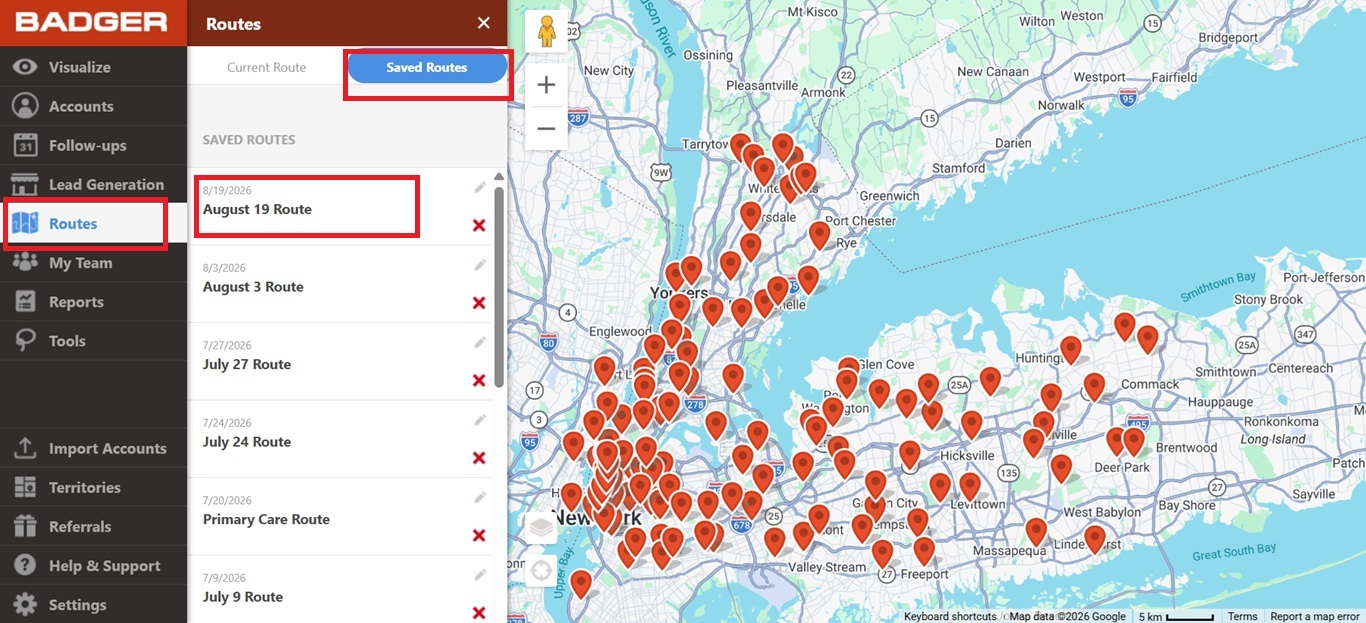
1. First, go to the Routes tab, choose Saved Routes, and click on the route you want to export.
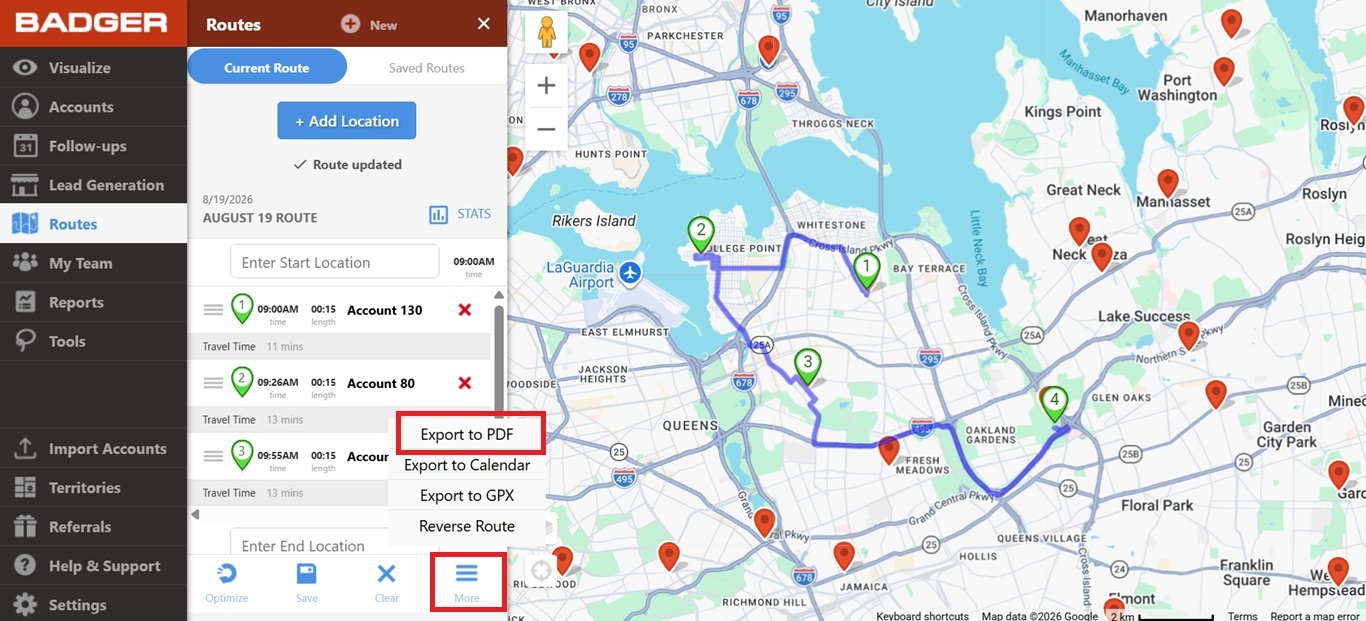
2. Once it’s loaded, click on More, and select Export to PDF.
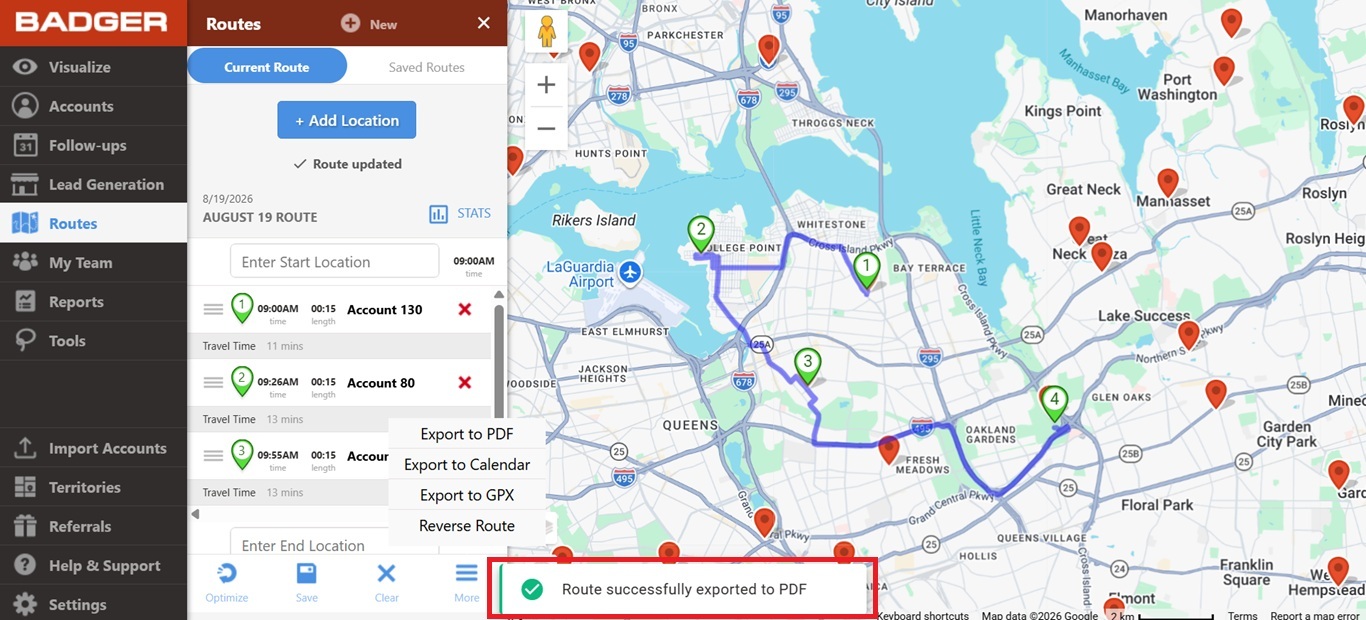
3. Then, your exported route will be downloaded in a few seconds.
That’s it! Easy right? Go ahead and try it again with a couple more of your routes.


