How to Drop a Pin (Web App)
This article is for Badger Maps Standard.
Read this for Badger Maps Advanced | Not sure which version you have?
Badger Maps has a Pin Drop feature that allows you to create new accounts by simply doing a right-click on the map. Here’s how it’s done:
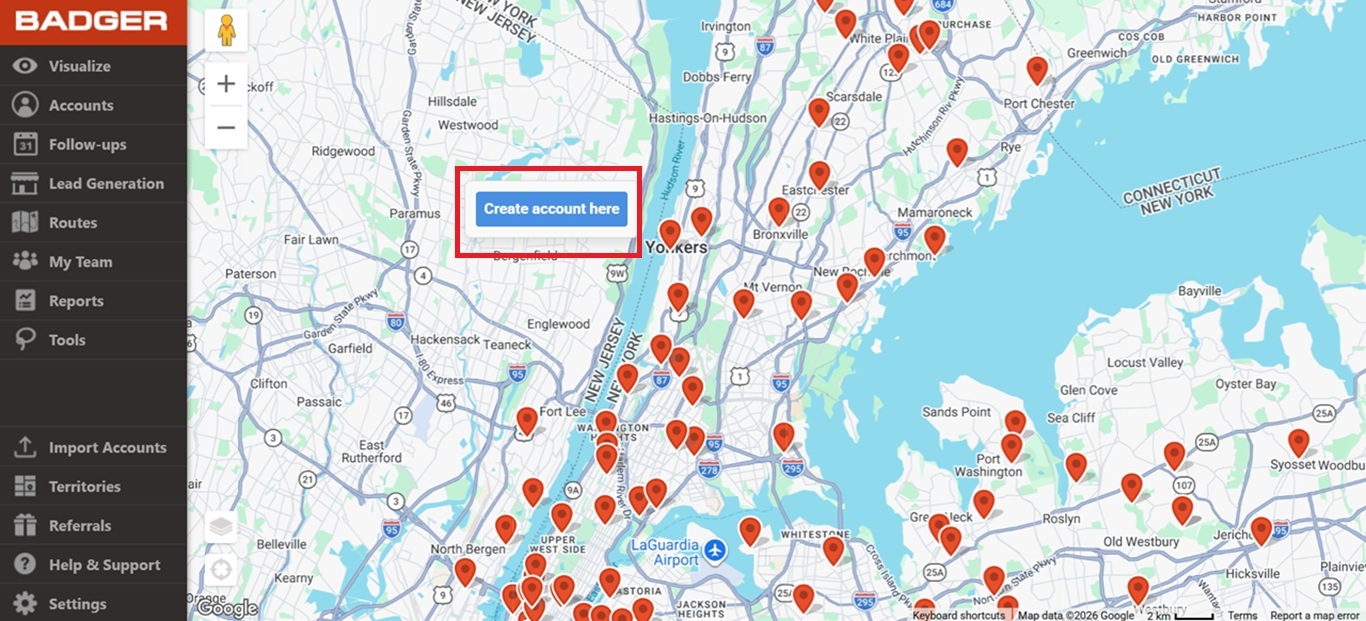
1. Right-click on the map to drop a pin. Then, click on Create account here.
2. A Create New Account box will pop-up. Enter the account information then click on Create Account to save the details.
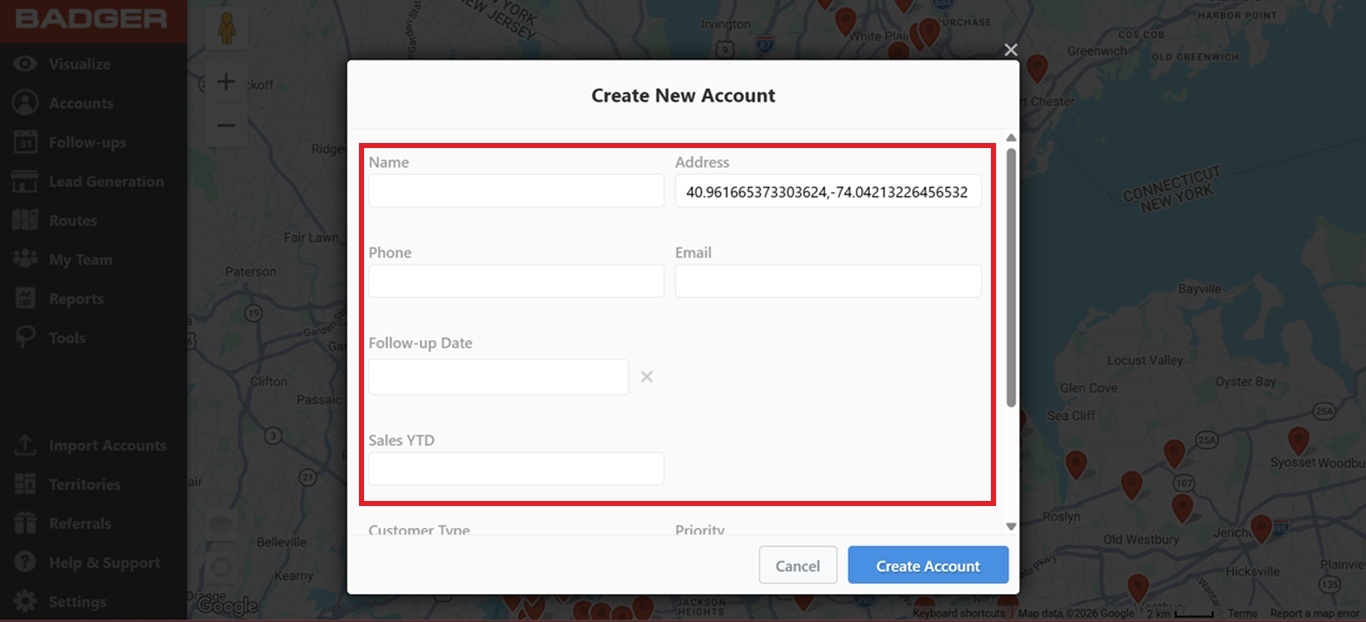
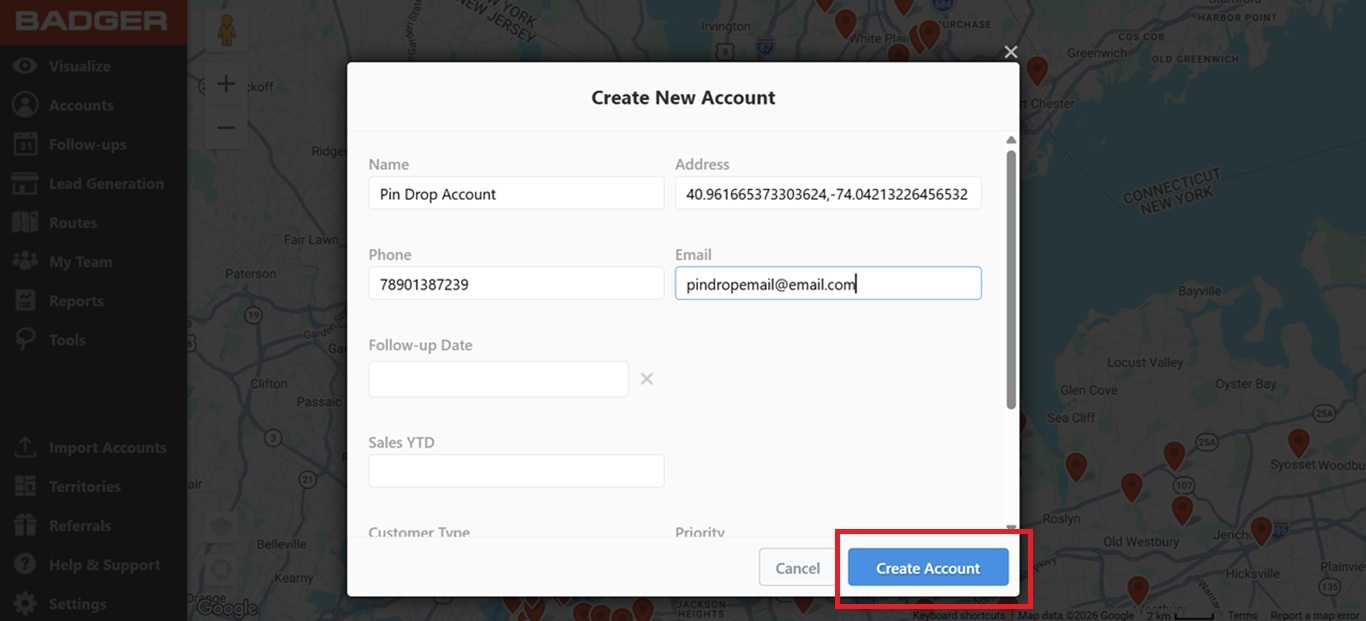
That’s it! You’ve successfully saved a new customer.
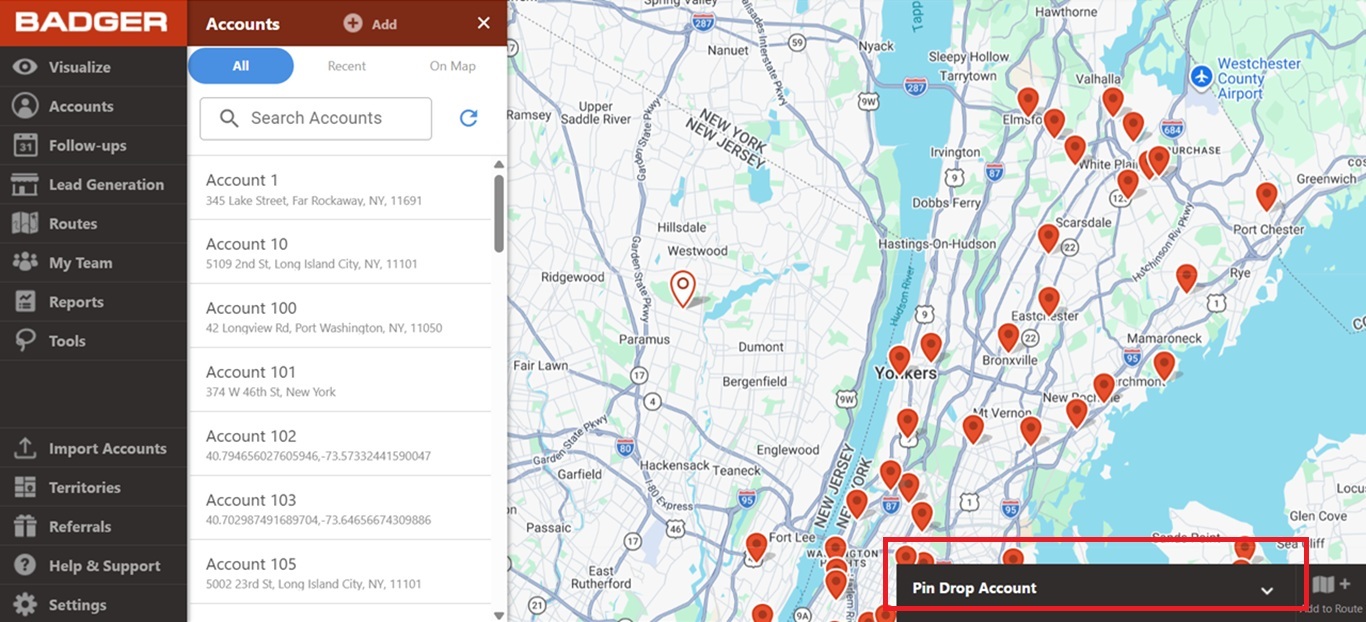
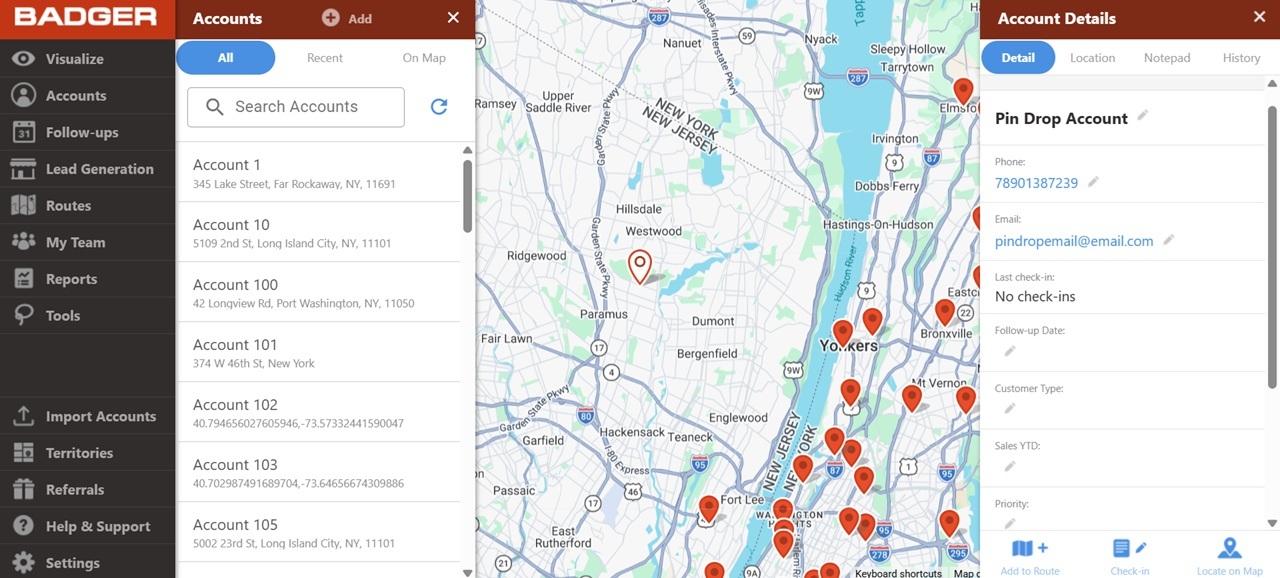
To view the Account Details of your newly created customer, click on the black bar found at the bottom right corner of the screen.