How to Sign Up for Badger Maps (Web App)
Signing up for Badger Maps is an easy process. Continue reading to find out how.
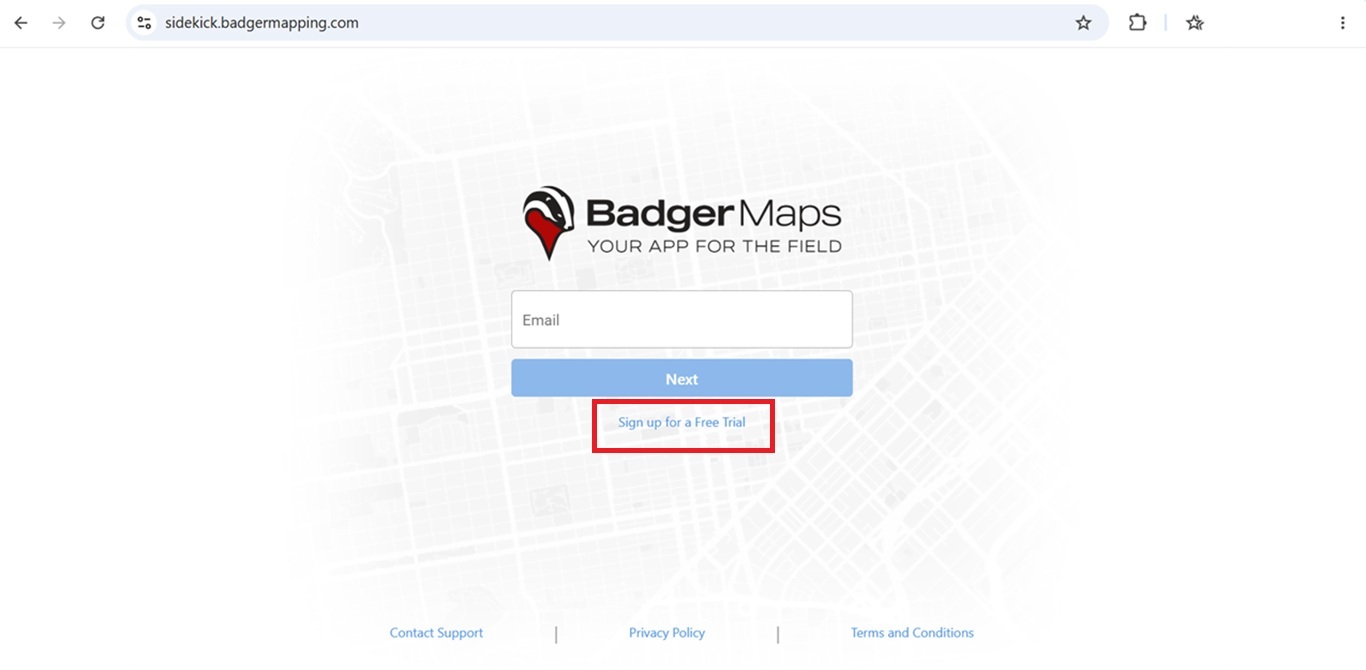
1. Using a computer, go to https://sidekick.badgermapping.com/, then hit Sign up for a Free Trial.
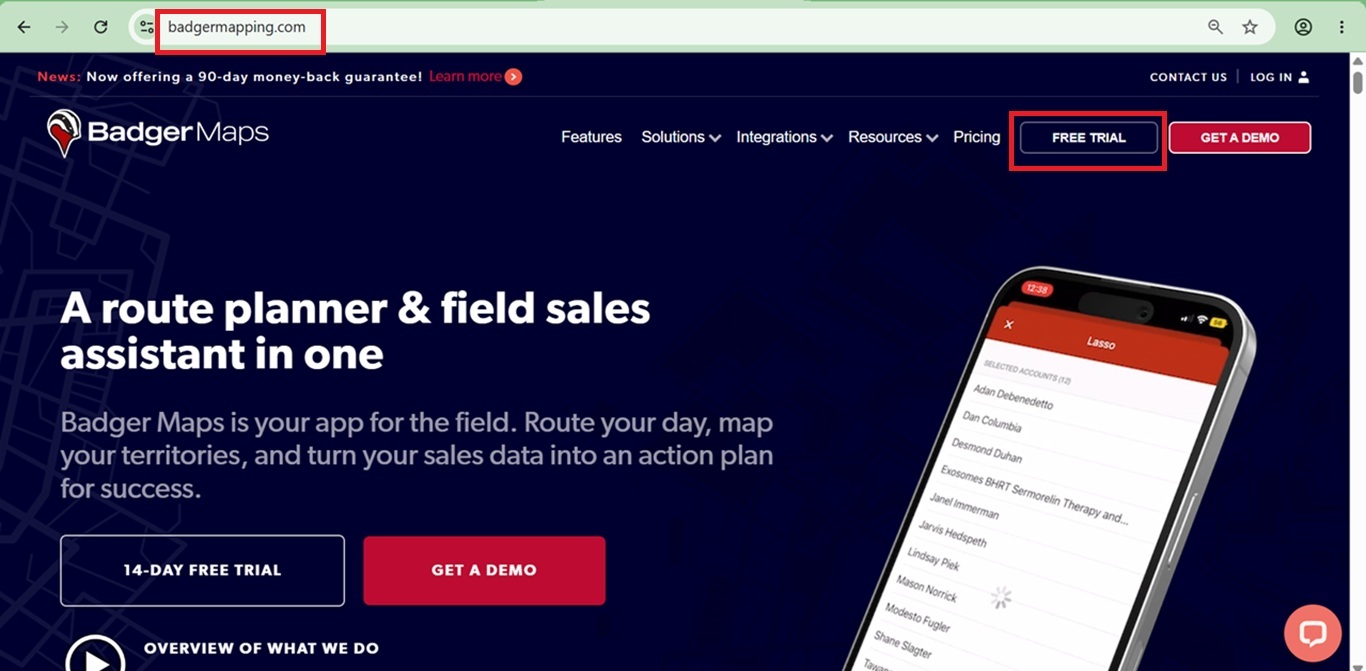
Or, click the Free Trial button on the top right corner Badger Maps’ homepage. You can also click the 14-Day Free Trial button at the bottom.
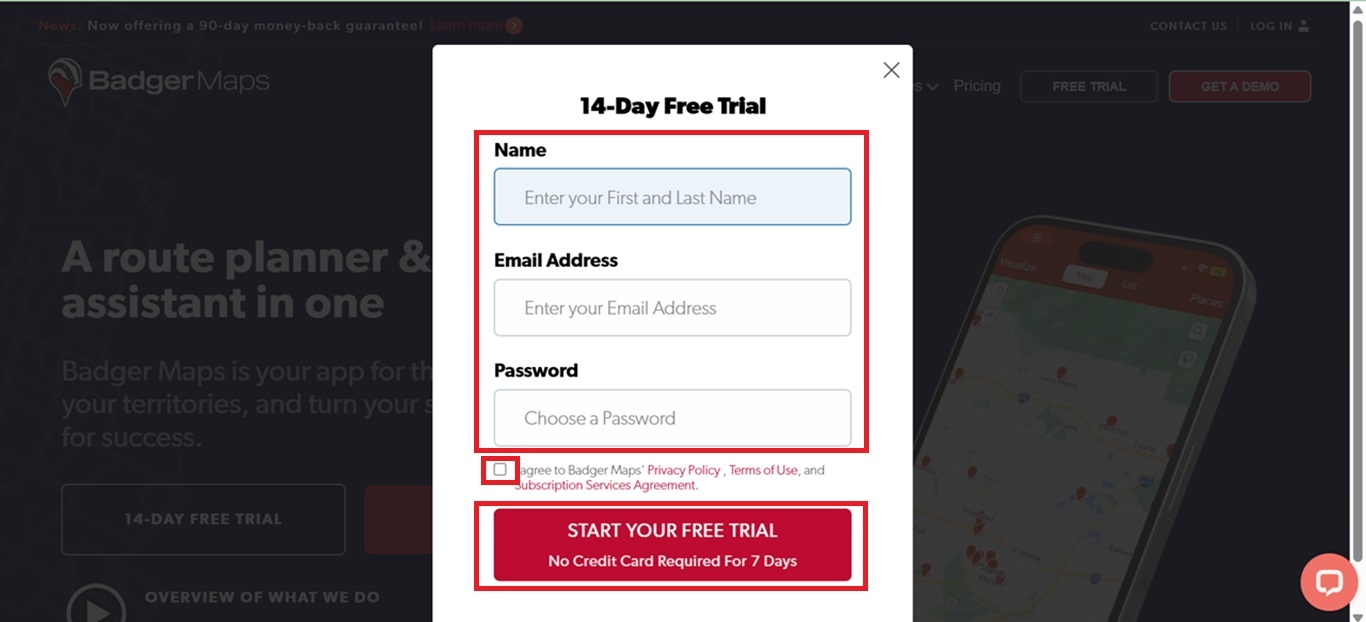
2. Next, fill out the form, agree to the Privacy Policy, Terms of Use and Subscription Services Agreement, and click the Start Your Free Trial button.
Note: When setting a password, remember that it must contain at least 8 characters. The password should also have at least one uppercase letter, one lowercase letter, one number, and one special character (!@#$%^&*(),.?":{}|<>)
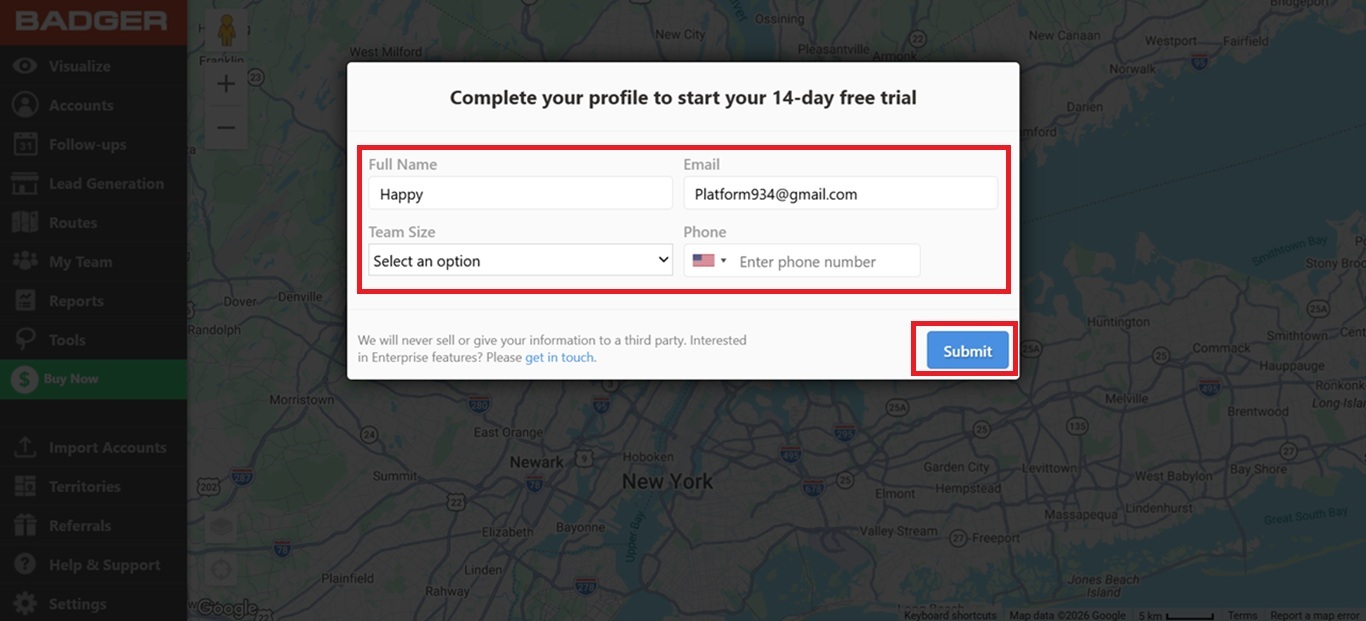
3. After that, you’ll be taken to the website. Complete Your Profile, click Submit, and you’re all set.
Here’s a video on how to sign up for Badger. You can also sign up by downloading our mobile apps on Apple App Store or Google Play Store:


