The Best Mapline Alternatives in 2026
Which Field Sales Tool Is Right For You?
Mapline is useful for desk-based analysts doing spreadsheet-to-map visualization and business intelligence work. But if you've found it lacking - for example, no mobile app or no way to sync important field data with your CRM - you're not alone. And if you're a field sales rep or manager who was pointed at Mapline by your ops team and found it wasn't built for the way you work, that's an equally valid reason to look elsewhere.
The right alternative depends on what you actually need - and whether you're staying in Mapline's category or ready to move to a tool built with sales in mind. This guide maps out three options based on your specific situation.
The Best Mapline Alternatives for Field Sales and Ops Teams in 2026
What to Look for in a Mapline Alternative
Before switching, it helps to be clear on what drove you to look for alternatives - because the answer shapes everything about which tool is right.
Mobile-first reliability: if your reps use the tool in the field on a phone, mobile performance is non-negotiable. Mapline was built for desk-based analysts working from a browser - there's no native app to speak of. The right field sales alternative should be purpose-built for the phone, not accessed through a mobile browser tab.
CRM integration: Mapline has no native CRM sync - keeping it current means manual spreadsheet exports and imports. If your team's data needs to stay accurate without someone babysitting it, this matters a lot.
Pricing transparency: Mapline doesn't publish self-serve pricing - you have to talk to sales to get a number. The best alternatives let you see real pricing and start a trial without a sales call first.
Route optimization: whether you need basic single-vehicle routing or full multi-stop optimization with live traffic, make sure the alternative actually covers the depth your team needs.
Lead generation: for field sales reps, the ability to find new prospects while already in an area is a meaningful productivity multiplier. Desk-first mapping platforms typically don't have this.
Onboarding and adoption: how fast can your team actually get value from the tool? A platform with hands-on onboarding and a track record of documented reviews gives you a much clearer picture than one with a thin review footprint.
1. Badger Maps - Best for Field Sales Reps Who Need a Mobile-First Alternative
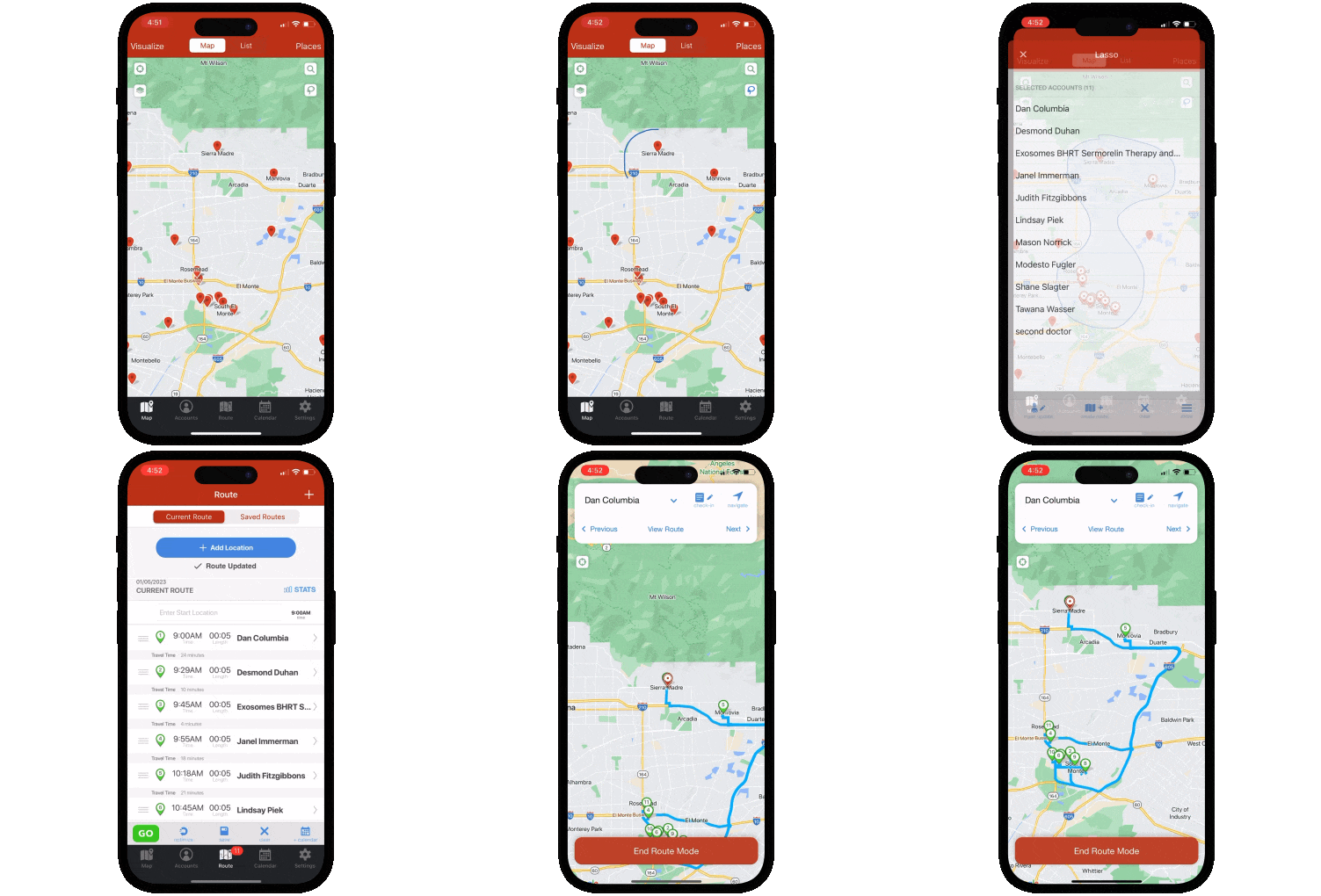
If you're a field sales rep or manager who was put on Mapline and found it wasn't built for the way you work - in the car, between appointments, on your phone - Badger Maps is the purpose-built upgrade. Founded in 2012, Badger Maps was designed from the ground up for field rep productivity: route optimization, CRM integration, in-field lead generation, and territory management in a single mobile platform. Where Mapline is built for the analyst at a desk, Badger Maps is built for the rep in the car - and the difference shows in every part of the product.
What it does well:
- Scores 4.5 on the App Store - purpose-built for field use, not a browser tab
- Optimizes multi-stop routes automatically with live traffic, saving reps an average of 20% of drive time
- Native two-way, real-time integration with Salesforce, HubSpot, Microsoft Dynamics, Zoho, Netsuite, Pipedrive, and more - on all plans
- Discovers new leads via the Lead Generation feature while reps are already in the area - no separate prospecting tool needed
- Dedicated territory planning with Badger Align and geospatial analytics with Badger Insights
- Hands-on onboarding from a dedicated customer success team, and support by phone, chat, and email - no auto-renewal traps, no fine print
Who it's best for: B2B outside sales reps and field sales managers who need a mobile-first field productivity platform, proven at enterprise scale, available today with a free trial.
Pricing: Starts at $58/user/month for business plans and $95/user/month for enterprise plans. 14-day free trial - no credit card required. 90-day money-back guarantee.
2. MapBusinessOnline
If what you valued about Mapline was the browser-based territory visualization and business mapping workflow, but you want more transparent pricing, MapBusinessOnline is the closest like-for-like alternative. It's another desk-first mapping platform built around territory management, demographic overlays, and market analysis - aimed at the same analyst persona Mapline targets, with pricing published clearly rather than gated behind a sales call.
What it does well: MapBusinessOnline holds a 4.5/5 rating on G2 across 48 reviews, with pricing starting around $500/user/year. Reviewers consistently praise its responsive customer support and describe the learning curve as manageable for a desk-based mapping tool.
Where it falls short: Reviewers describe an interface that feels dated, map organization that gets cluttered over time with no way to archive old maps, and a pattern familiar to Mapline users - features like Salesforce integration being scaled back over time even as price increases. Like Mapline, it has no mobile app and no field-facing route execution tools.
Who it's best for: Desk-based ops or analyst teams who want Mapline's core territory-visualization workflow with transparent, published pricing.
Pricing: Starts around $500/user/year. Free trial available.
3. Maptitude
If what you valued most about Mapline was the depth of geographic analysis rather than field execution, Maptitude by Caliper Corporation is the professional-grade step up. It's a full-featured GIS and business mapping platform used by sales operations, business intelligence, and market research teams who need to work with complex geographic datasets and demographic data well beyond what Mapline offers.
What it does well: Maptitude holds a strong 4.7/5 rating on G2 across 148 reviews, with particularly high marks for support quality and ease of doing business. It includes deep demographic datasets, drive-time analysis, site selection tools, and professional GIS editing, with desktop pricing starting at $795/year.
Where it falls short: Maptitude is a desktop GIS application - no mobile field experience, no CRM sync, no check-in capability, and no route execution for field reps. It requires meaningful training to use effectively. If field rep productivity is the goal, this isn't the right tool.
Who it's best for: Sales operations, business intelligence, and market analysis teams who need enterprise-grade geographic analytics from a desktop environment.
Pricing: Starts at $795/year (desktop license). Free trial available.
THE BEST APP FOR FIELD SALES PEOPLE
Learn how you can maximize your sales routes & sell more
How to Choose the Right Mapline Alternative
The right tool depends on what specifically drove you to look for alternatives - and what your team actually does.
If you're a field sales rep or manager who was put on Mapline and found it didn't work in the field, Badger Maps is purpose-built for your use case - mobile-first, proven at enterprise scale, and available today with a free trial and a 90-day money-back guarantee.
If you're staying in the desk-based mapping category and want Mapline's core workflow with more transparent pricing, MapBusinessOnline is the closest lateral move.
If your needs go beyond territory visualization into serious geographic and demographic analysis, Maptitude is the professional-grade desktop alternative that goes deeper than Mapline does.
Switching from Mapline to Badger Maps Is Simpler Than You'd Expect
If Badger Maps is on your shortlist, here's what the transition actually looks like:
- Free trial: no credit card required, connect your CRM and build your first route on day one
- Data import: upload your existing account list via spreadsheet or sync directly from your CRM
- Onboarding support: Badger's customer success team helps new teams get productive quickly, and is reachable by phone when you need them
- No long-term commitment: month-to-month plans available so you can validate before committing
- 90-day money-back guarantee: if Badger isn't delivering results within 90 days, you get your money back.
Teams are fully operational within a day or two of signing up.
The Bottom Line
Mapline is a capable platform for desk-based analysts doing spreadsheet-to-map visualization - but it was never built for field sales reps, and its missing mobile app, lack of CRM integration, and sales-led pricing have pushed real teams to look for alternatives.
The right next step depends on your situation. For field sales reps who need a mobile-first tool that works reliably in the field, Badger Maps is the purpose-built upgrade. For desk-based teams who want Mapline's workflow with transparent pricing, MapBusinessOnline is the natural lateral move. And for teams who need serious geographic and demographic analysis, Maptitude delivers enterprise-grade GIS depth Mapline doesn't offer.
Ready to see if Badger Maps is the right fit? Try it free - no credit card required, no auto-renewal surprises.

“We save hundreds of hours on research each month by using Badger to generate leads and enrich data.”
Kellie Glenister
Director of Sales Operations, L’Oréal
What's the main difference between Mapline and Badger Maps?
Mapline was built for desk-based analysts doing spreadsheet-to-map visualization and business intelligence work - territory heat maps, competitor mapping, distance calculations from a browser. Badger Maps was built for field sales reps - route optimization, mobile check-ins, in-field lead generation, and CRM sync that works reliably from a phone between appointments. For field sales use cases, Badger Maps is the purpose-built choice.
Does Badger Maps integrate with my CRM?
Yes - Badger Maps integrates natively with Salesforce, HubSpot, Microsoft Dynamics, Zoho, Netsuite, Pipedrive, and others, with two-way, real-time sync on all plans - no additional license required.
What does Badger Maps cost compared to Mapline?
Mapline doesn't publish self-serve pricing - you have to contact sales for a quote. Badger Maps starts at $58/user/month for business plans and $95/user/month for enterprise plans, with route optimization, CRM integration, lead generation, and territory management included across plans. A 14-day free trial and 90-day money-back guarantee are included.
Can I try Badger Maps before committing?
Yes - Badger Maps offers a 14-day free trial with no credit card required. You can connect your CRM, import your accounts, and run optimized routes before making any purchasing decision. A 90-day money-back guarantee is also available after purchase - no auto-renewal traps, no fine print.
The names and logos for Badger Maps are trademarks of Badger Maps, Inc. All other trademarks, brand names, or product names belong to their respective holders. The purpose of this comparison is to provide customers with truthful information about competitors with no affiliation or partnership in place. This comparison is based on information gathered from the company's website and other 3rd party websites on the date written, and thus changes may have occurred.


