News: Now offering a 90-day money-back guarantee!
Learn more
News: Now offering a 90-day money-back guarantee!
Learn moreIf you're evaluating Badger Maps against Map My Customers, you're likely a field sales rep or sales manager trying to figure out which tool will actually make your day more productive. Both are built specifically for B2B outside sales - which is exactly what makes this comparison worth getting right.
This guide breaks down the real differences so you can make the right call for your team. Let's dive in!
Map My Customers is a map-based field sales CRM built for outside sales reps and the managers who lead them. It positions itself as an all-in-one field sales enablement platform, and is commonly used by teams in industries like pharma and CPG.
To illustrate what Map My Customers does in practice:
A pharma rep can use Map My Customers to visualize their account list on a color-coded map, log a store visit with a check-in, set a follow-up cadence for accounts that have gone cold, and pull a territory performance report for their manager.
Why users like it:
Recent users on the App Store and Google Play (where it scores a 4.1 and 3.7, respectively) highlight the intuitive visual account mapping, the ease of uploading existing customer lists via CSV, and the lead finder tool for surfacing new prospects directly from the map. When the platform works as intended, reviewers describe it as a genuinely useful tool for staying organized in the field.
Why users dislike it:
The pattern that shows up most consistently across review platforms is data reliability - users reporting that contacts disappeared after an update, that notes don't carry across objects correctly, and that CRM sync falls short of what was promised. A secondary thread involves mobile app stability, with multiple reviewers describing crashes, slow reloads, and the app resetting mid-route. A third recurring theme is difficulty reaching support when something goes wrong - particularly frustrating when the problem is happening in the field.
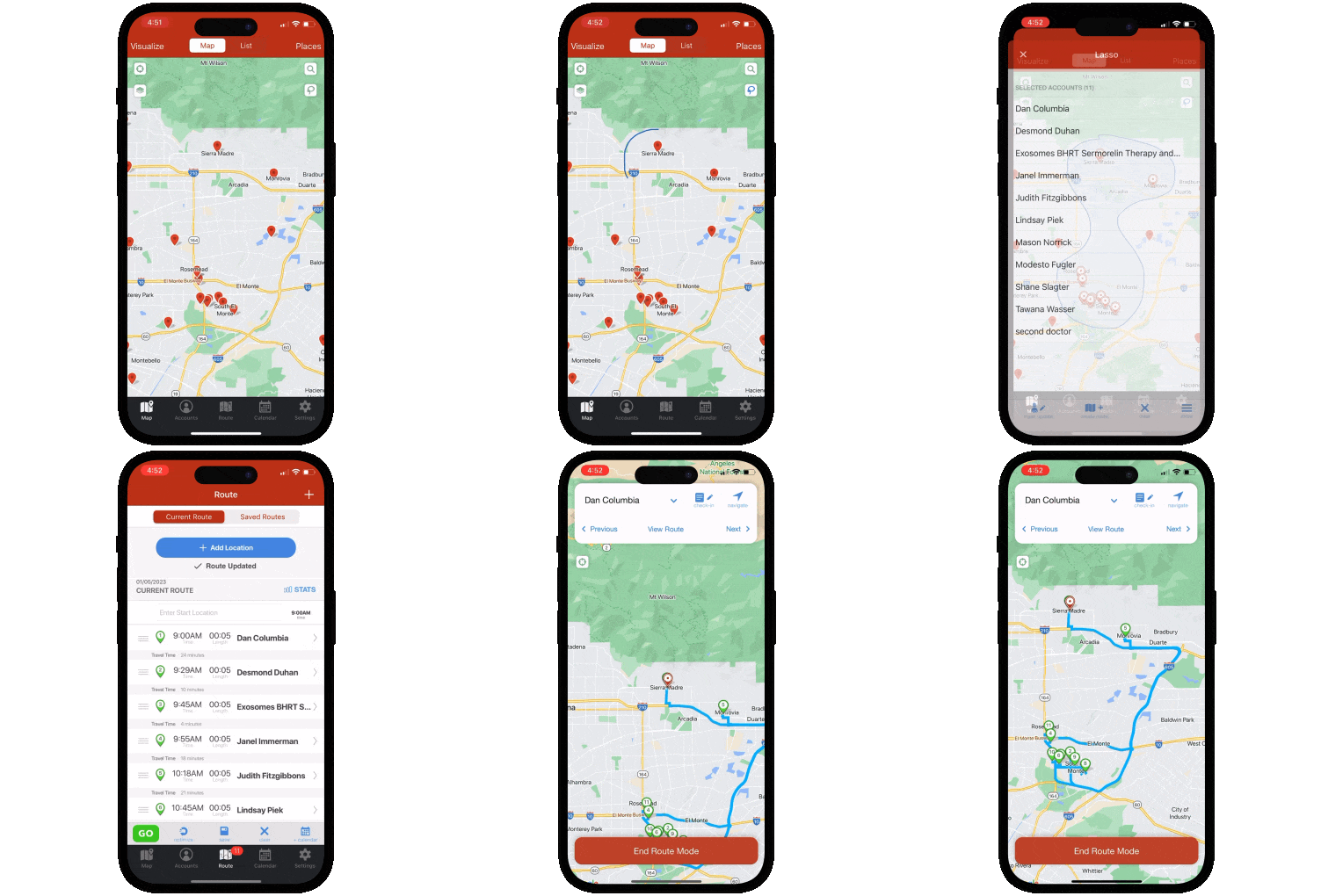
Badger Maps is the #1 field sales app for outside sales reps. It combines route optimization, CRM integration, lead generation, and territory visualization in a single mobile platform - so reps can plan smarter routes, see more customers, and spend less time on admin.
To illustrate what Badger Maps does in practice:
A medical device rep can use Badger Maps to map every hospital and clinic in their territory, filter by last visit date and priority, build an optimized multi-stop route around their highest-value accounts, discover new leads nearby with the Lead Generation feature, and sync every check-in automatically back to Salesforce - all from their phone before leaving the parking lot.
Teams using Badger Maps see an average 22% increase in sales, 20% less time spent driving, and 50% less time on admin tasks.
Why users like it: On the App Store and Google Play (where it scores a 4.5 and 4.0, respectively), users consistently praise the route optimization for saving meaningful time in the field, the reliability of the CRM sync for eliminating double data entry, and the responsiveness of the customer support team when issues arise.
Why users dislike it: Some users note that the mobile app can feel less polished than the desktop experience. Pricing can feel steep for individual reps paying out of pocket rather than through a company plan - though many report the time savings make it pay for itself quickly.
Both tools target B2B field sales, but they're optimized for different workflows and team structures. Map My Customers leans toward teams that want a standalone map-based CRM with built-in pipeline and cadence management. Badger Maps leans toward reps and managers who want best-in-class route optimization and rock-solid CRM sync layered on top of the system they already use.
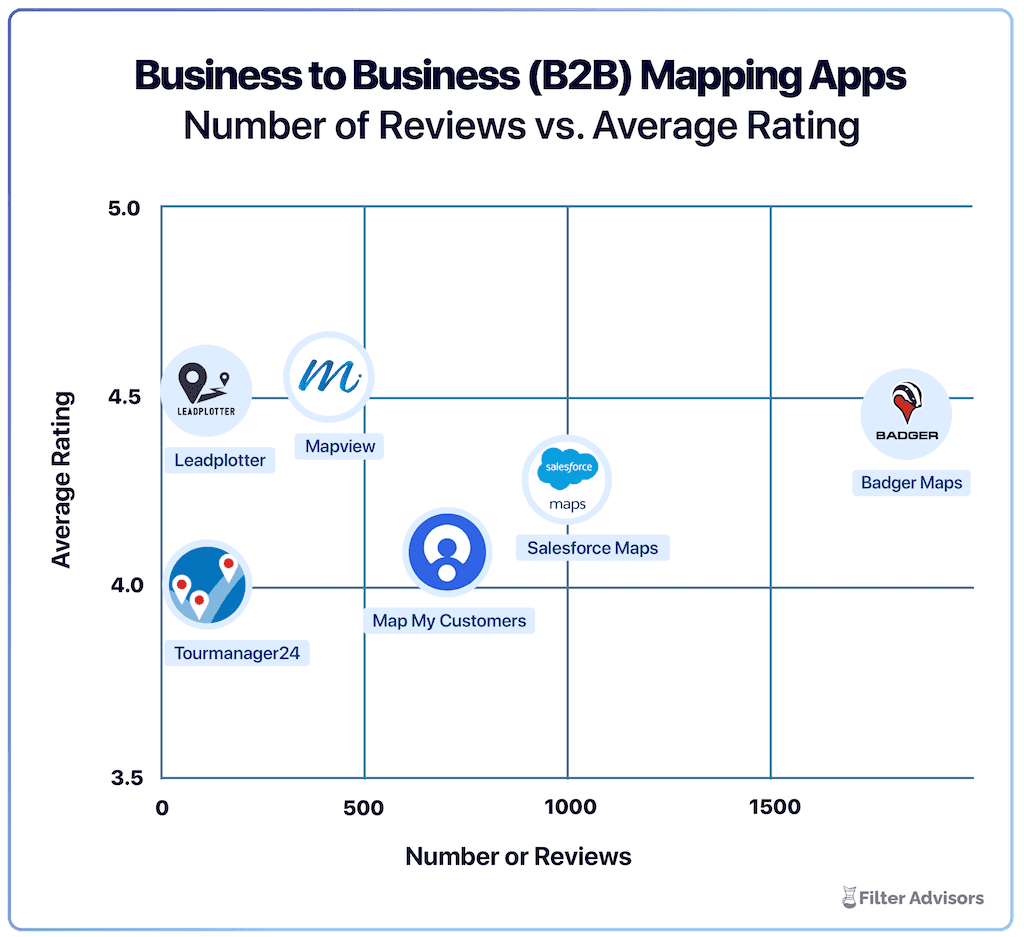
Badger is the highest ranked sales mapping and routing app, according to an industry wide analysis done by Filter Advisors, a technology consulting firm. Read more here.
This is where the two tools diverge most meaningfully - and where user reviews tell the clearest story.
Map My Customers functions as its own standalone CRM, which works well if you don't have an existing system. But teams that need Map My Customers to connect with their CRM or ERP have reported friction: reviewers describe contacts disappearing after platform updates, notes that don't sync across objects, and custom fields that don't pull correctly from external systems. One reviewer summed up a recurring frustration: "their update has lost all my contacts and they won't call me." Another flagged a structural data issue introduced by a recent upgrade: notes added at the Company level don't carry through to Deals, and vice versa - meaning reps end up entering the same information twice.
Badger Maps takes a fundamentally different approach. Rather than replacing your CRM, it integrates directly with the one you already use - Salesforce, HubSpot, Microsoft Dynamics, Zoho, Netsuite, Pipedrive, and others - with native two-way, real-time sync. Check-ins, notes, and account updates made in the field flow back to your CRM automatically. Your existing data model stays intact, your sales ops team keeps working in the system they know, and reps never have to worry about whether what they logged actually made it through.
For a tool that's supposed to make you more productive in the field, stability isn't optional.
Map My Customers reviewers describe a recurring pattern: the app resetting mid-route, requiring full account reloads between appointments, slow map rendering, and crashes that leave reps stuck - one reviewer put it plainly: "Stuck in field again not being productive because my app is down AGAIN." Android users report particularly sharp frustrations, with one reviewer describing the Android experience as "non existent." The app closing mid-appointment and losing route context is the kind of failure that costs a rep real time on real days.
Badger Maps is designed as a mobile-first tool for reps who are in the car 6 -10 hours a day. The app is built to stay stable while you're moving between accounts, and the route context persists so you don't lose your place mid-day. One user noted that the mobile experience can lag behind the desktop in polish, but the core field workflow of navigating, checking in, and moving to the next stop reliably holds up in the field.
Map My Customers offers route planning and a Smart Planner feature that factors in account priority and missed follow-ups - a useful addition for planning-focused users. The practical limitations reviewers flag are the absence of live traffic data and no offline routing capability, which matters most when you're in a low-signal area or caught in unexpected traffic on a busy day.
Badger Maps was built from the ground up around route optimization - automatically sequencing multi-stop routes based on real drive time, live traffic conditions, and scheduling constraints. For a rep visiting 5+ customers a day, the compound effect of smarter routing translates to roughly one or two additional meeting per day - and those add up fast over a month or a quarter.
Map My Customers starts at $55/user/month for personal plans and $129/user/month for team plans. Several reviewers note that the pricing has increased over time, and features like mileage tracking, advanced reporting, and email history are add-ons on lower tiers - meaning the effective cost for a fully-featured setup tends to run higher than the base rate suggests.
Badger Maps starts at $58/user/month for business plans and $95/user/month for enterprise plans, with a free trial available so reps can connect their CRM, run real routes, and validate the tool before committing. For teams already paying for a CRM, it's also worth asking whether you're paying for a second system that duplicates your existing data - or for a tool that makes the CRM you already have significantly more useful in the field.
It's also worth mentioning that unlike Badger Maps, Map My Customers does not offer a free trial - meaning you'll need to commit before you can validate whether the platform works with your existing data and workflow. Additionally, Badger Maps offers a 90-day money-back guarantee.
| How they compare | Badger Maps | Map My Customers |
|---|---|---|
| Route optimization (with live traffic) | ✓ Full | △ Partial |
| Native two-way CRM sync | ✓ Full | △ Partial |
| Lead generation (in-field) | ✓ Full | △ Partial |
| Territory mapping & alignment | ✓ Full | △ Partial |
| Mileage tracking | ✓ Full | △ Add-on |
| Mobile app reliability | ✓ Full | ✗ Reported issues |
| Free trial available | ✓ Yes | ✗ No |
| 90-day money-back guarantee | ✓ Yes | ✗ No |
✓ Full △ Partial / limited ✗ Not available
For outside sales reps managing a geographic territory, Badger Maps is the stronger choice. The full workflow lives in one place: visualize your accounts on a map, build and optimize your route, check in after every meeting, generate leads nearby, and sync everything back to your CRM - reliably, from your phone, every day. The result is more meetings, less windshield time, and a CRM that stays current without anyone chasing reps for their activity data.
Map My Customers is worth a serious look if you need a standalone map-based CRM and don't want the overhead of connecting a separate system. If your team doesn't have an existing CRM, or you prioritize built-in pipeline tracking, cadence management, and territory dashboards in a single platform - and the integration and mobile stability issues described above aren't dealbreakers for your workflow - Map My Customers may suit you better.
"Before Badger, we were losing 2 hours a day to territory planning and reporting results. Now our routes take 5 minutes and directly link to activity. Badger has certainly improved productivity."
James Stratmann
President, Sunset Industrial Parts
If you're currently using Map My Customers and considering a switch, the transition is simpler than most teams expect.
Teams are fully operational within a day or two of signing up.
Map My Customers is a capable tool for field sales teams that want a standalone map-based CRM with strong manager-facing features. But the data reliability issues, mobile stability complaints, and support accessibility gaps that show up consistently in user reviews are real - and for a rep who's on the road 6–8 hours a day counting on their tool to work, they're not minor inconveniences.
If you need a field sales tool that integrates reliably with the CRM you already use, holds up on a crowded map in a low-signal area, and has support you can actually reach when something goes wrong - Badger Maps is built for exactly that.
Ready to see it in action? Start your free trial and build your first optimized route in minutes.
Learn how you can maximize your sales routes & sell more with Badger Maps.
What's the main difference between Map My Customers and Badger Maps?
Map My Customers is a standalone map-based CRM - it's designed to be your system of record for field sales activity. Badger Maps is built to integrate with the CRM you already use and make it significantly more useful in the field, with purpose-built route optimization, lead generation, and automatic CRM sync as its core strengths.
Why do teams switch from Map My Customers to Badger Maps?
The most common reasons are data reliability and mobile stability. Reviewers across multiple platforms describe contacts disappearing after updates, notes that don't sync across objects correctly, and an app that resets mid-route at exactly the wrong moment. Teams that need their field tool to work consistently - especially when they're far from their office Wi-Fi - tend to find Badger's reliability more dependable.
Does Badger Maps integrate with my CRM?
Yes. Badger Maps integrates natively with Salesforce, HubSpot, Microsoft Dynamics, Zoho, Netsuite, Pipedrive, and others. The sync is two-way and real-time - check-ins and notes logged in the field update your CRM automatically, and changes in your CRM appear in Badger without manual imports.
Is Badger Maps or Map My Customers better for sales managers?
Map My Customers has invested in manager-facing features - several dashboards and cadence tracking give managers detailed oversight. Badger Maps gives managers visibility through weekly check-in reports and territory activity summaries that reflect what reps actually did in the field, without requiring reps to manually log everything in a second system. The right choice depends on whether your priority is management reporting depth or rep-level field reliability.
How long does it take to get started with Badger Maps?
Most reps can connect their CRM, upload their accounts, and build their first optimized route the same day they sign up. The mobile app is designed to be intuitive without a formal training program - and Badger's support team is reachable by phone when you need help, not just by email.
What does Badger Maps cost compared to Map My Customers?
Map My Customers starts at $55/user/month for individuals and $129/user/month for teams, with mileage tracking, advanced reporting, and email history as add-ons on lower tiers. Badger Maps starts at $58/user/month with a free trial and no credit card required - so you can evaluate it against your real routes and real CRM data before making a decision.
Can I try Badger Maps before committing?
Yes. Badger Maps offers a free trial with no credit card required. You can connect your CRM, import your accounts, and run optimized routes before making any purchasing decision.
The names and logos for Badger Maps are trademarks of Badger Maps, Inc. All other trademarks, brand names, or product names belong to their respective holders. The purpose of this comparison is to provide customers with truthful information about competitors with no affiliation or partnership in place. This comparison is based on information gathered from the company's website on the date and about the version described in the last line of the table above, and thus changes may have occurred.
Looking for our logo?
Grab a Zip packed with our logo in PNG and EPS formats.